
Summarize withChatGPTPerplexityClaudeGrokAlgomo vs Crisp
TL;DRTwo worries hold back most AI agent projects, the engineering it takes to connect the agent and answers that drift out of date, and Algomo takes both off your team where Hugo leaves them with you.
Hugo learns your website from a crawl that Crisp does not refresh on its own, and each action it takes is a tool your developer writes. Algomo reads the page as it stands when the question arrives, and builds its own tools from the calls your pages already make. If a reviewed Algomo agent ever contradicts your website, the month after is free.
One word of vocabulary first. Crisp calls the people on your team operators, and calls its AI agent Hugo.
Algomo vs Crisp Hugo at a glance
| Algomo | Crisp | |
|---|---|---|
| Main job | An AI agent for your website, with an inbox your team takes over from. It answers support questions, qualifies buyers and books meetings. | A shared inbox for web chat, email and messaging apps, with a knowledge base and Hugo answering first. |
| Who owns it | Algomo. | Crisp IM SAS, a self-funded company founded in 2015 and based in Nantes, France. |
| Who does the integration | Algomo's AI. It records the calls your pages make and turns them into its own tools. | Your developer. Actions run through an MCP server you build and host, or Widget Tools coded with Crisp's JavaScript SDK. |
| Where the answers come from | The page as it reads now, and the live data behind it. | A crawl of your website, refreshed when you press the button, plus Crisp knowledge base articles, files and Q&A snippets. |
| Published pricing | A free plan, then one monthly amount you pick from $50 to $4,300, at 40 credits per dollar or more. | Per workspace: $45, $95 or $295 a month with 4, 10 or 20 seats, each with an AI credit allowance. Extra Hugo usage is token-based. |
| Channels | Web chat on your site, plus a follow-up email. | Web chat, email, WhatsApp, Messenger and Instagram for Hugo, and more apps in the inbox. |
| Not a fit for | A team whose customers mostly write on WhatsApp, Instagram or by email. | A site whose answers sit behind JavaScript or change during the day. |
| Biggest limitation | Does not answer phone calls or incoming email. | Hugo's copy of your website stays as it was until someone refreshes it. |
What part of Crisp do you need?
TL;DRKeep Crisp for the inbox that gathers email and messaging apps in one place, and bring in Algomo for questions on your website that depend on live data or need something done.
Crisp bundles an inbox, a help centre, chat automation and an AI agent into one workspace plan. Your team may only need part of that bundle. Sort the jobs by who does each one best:
- An inbox shared by your operators for email, WhatsApp, Instagram and Messenger: Crisp.
- A public help centre with articles your customers search: Crisp.
- A visitor on your site asking about live stock, a quote or their own order: Algomo.
- A booking engine, price calculator or in-house system with no plugin: Algomo, which learns it from the calls your pages make.
The sections below start with the two risks, the wiring and the freshness of answers. The builder, the channels, the handoff and the bill come after.
Who connects the AI to your systems, Crisp or Algomo?
TL;DRHugo acts through tools your developer writes and hosts, while Algomo finds the systems your pages already call and connects to them itself, with a first version running the same day.
An answer is only half the job when a visitor asks where their parcel is. The agent has to reach your order system, your stock or your booking engine. Somebody has to build that reach, and the waiting time falls on your team.
Crisp integrations
Hugo can take actions in two ways that your team builds. The first is an MCP server, a small service that exposes your systems as tools an AI can call. Crisp's quickstart asks for the public URL of your own server, written in any language, with Zapier or n8n as no-code routes.
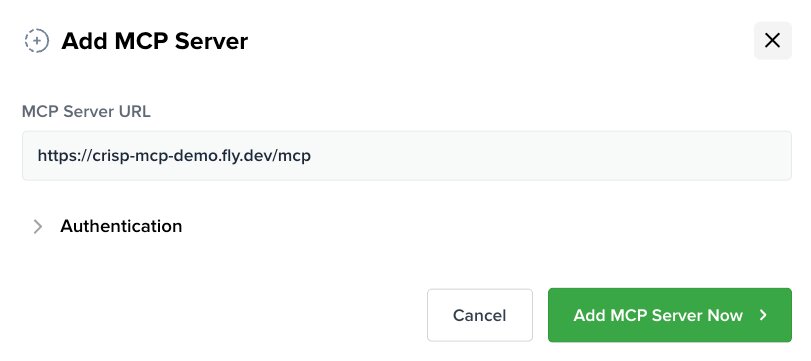
The second is Widget Tools, which run in the visitor's browser. Crisp's help centre is direct about the work: Widget Tools need a developer to set them up with the Crisp Widget JS SDK. Each tool is a handler your developer codes, and each call waits up to 10 seconds for it.
Ready-made plugins cover part of the ground. On Shopify, Hugo can read a customer's saved address and update the shipping address. Away from those plugins, every new action is a piece of code someone on your side writes and maintains.
Algomo integrations
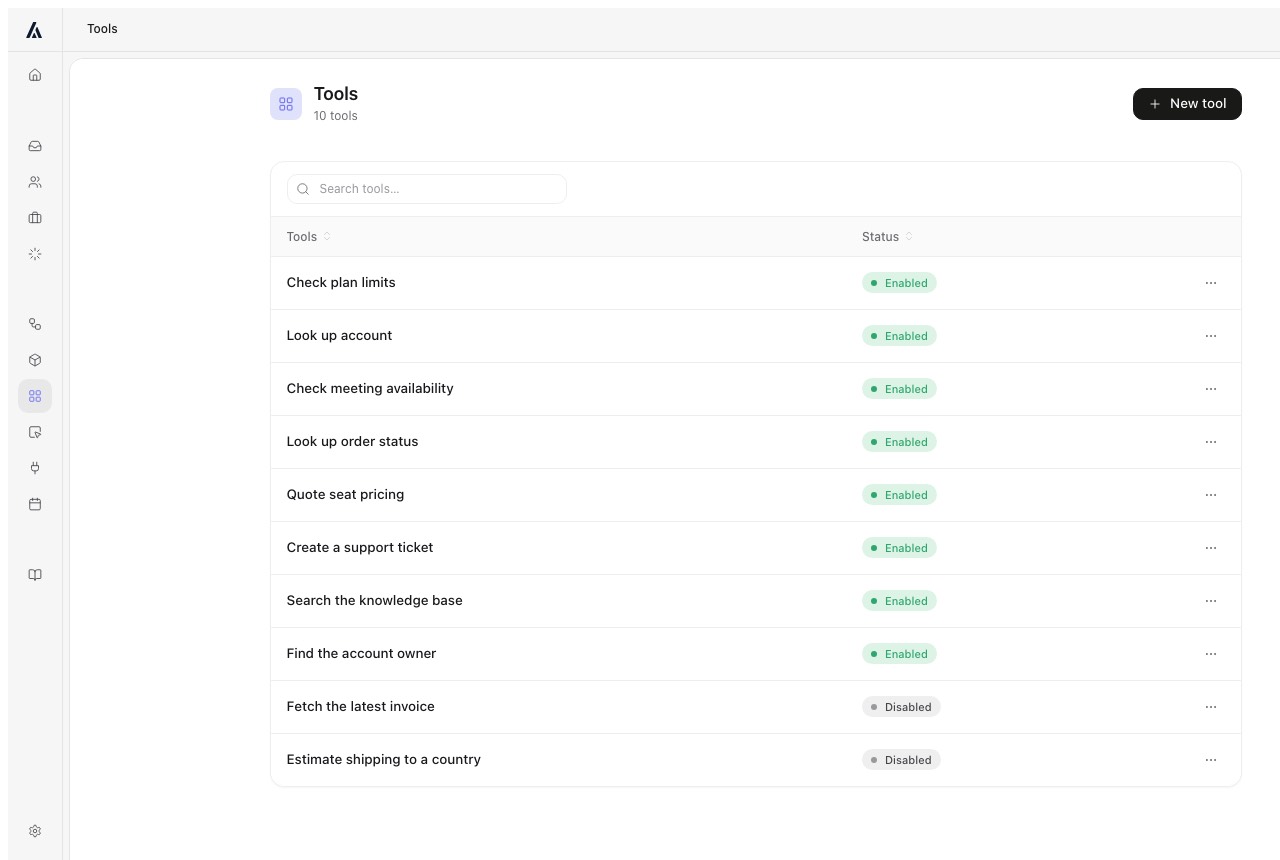
Algomo starts from your website. It records what your pages call, such as the stock check, the order lookup or the booking search, and each call becomes a tool the agent can use. Algomo's AI deployment engineer does the discovery, the wiring and the upkeep, and the first version runs the same day.
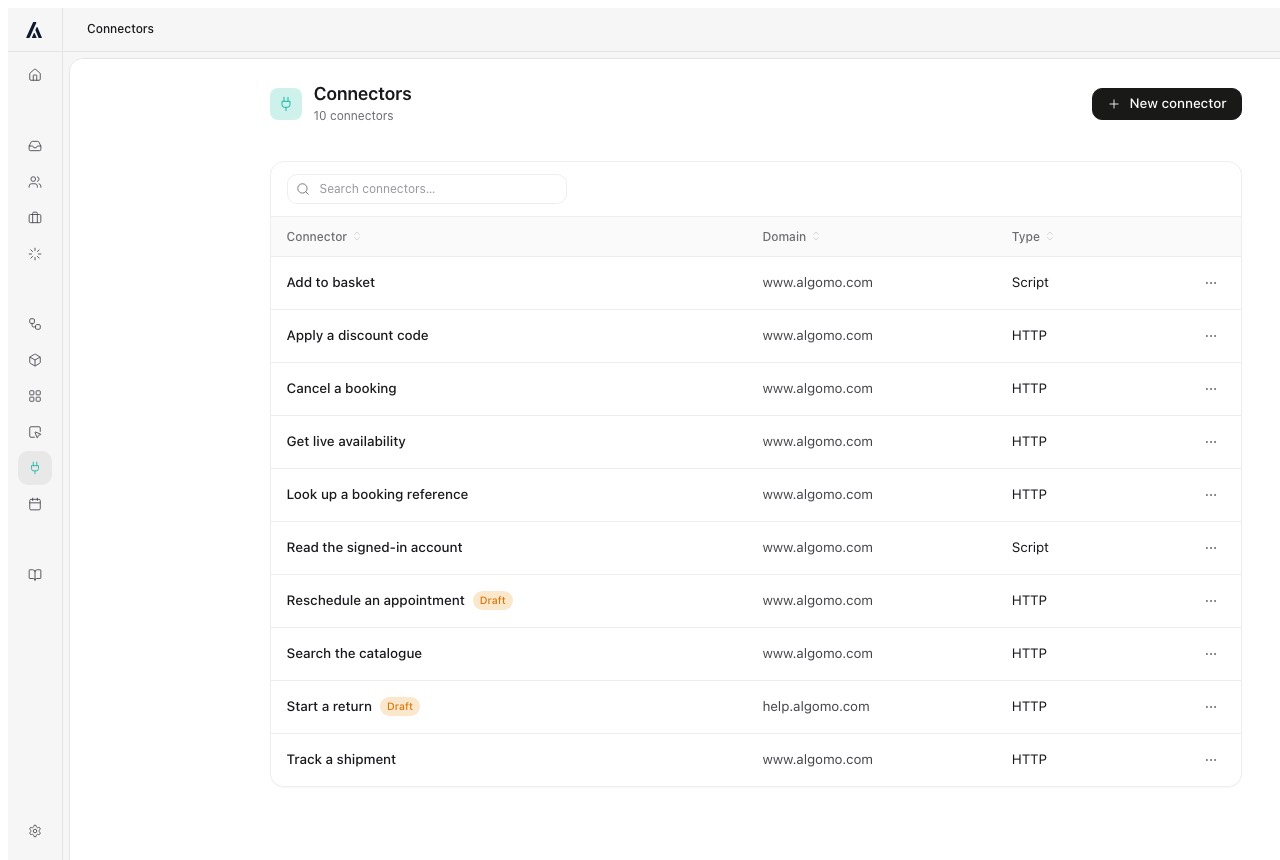
This matters most when your stack has no plugin: an in-house booking engine, an older ERP, a quote tool built years ago. Systems only your staff can reach use a connector, from the Business plan. If a redesign breaks a connection, Algomo flags it so the mapping can be rebuilt.
You can watch it on big brands' own systems. In the Blinds 2go demo, Algomo prices three made-to-measure windows in one card with the site's price engine, which the site itself runs one window at a time. In the Nike demo it reads the live price and UK 9.5 stock. In the Qualtrics demo it runs beside the chat Qualtrics built on Qualified, whose own site quotes 30 to 60 days to implement.
Getting the AI connected
| Algomo | Crisp | |
|---|---|---|
| Finds the systems behind your site | ✓ Algomo's AI, from the calls your pages make | ✗ Your team decides what to expose |
| Builds the tools the AI calls | ✓ Algomo builds them itself | ✗ Your developer, as an MCP server or Widget Tool code |
| Ready-made actions | ✓ Any call your site already makes | ✓ Shopify address tools |
| Systems behind a staff login | A connector, from the Business plan | An MCP server your team hosts |
| When the website changes | ✓ A broken connection is flagged for rebuilding | Your developer updates the handler |
Our take: list three actions you want the agent to take, then ask each vendor who writes the code for each one and when it would be live.
Can Hugo tell a customer something your site no longer says?
TL;DRHugo answers from a crawl of your site that Crisp says it does not update by itself, while Algomo opens the live page for every question, and a reviewed Algomo agent that contradicts your website earns you a free month.
Your prices, delivery times and policies move during the year. An agent working from an older copy states the old figure with the same confidence as the new one. The cost to your team is a customer holding you to a number you retired.
Crisp knowledge
Hugo learns from four sources: crawled web pages, Crisp knowledge base articles, uploaded files and private Q&A snippets. Knowledge base articles retrain Hugo as soon as you save them.
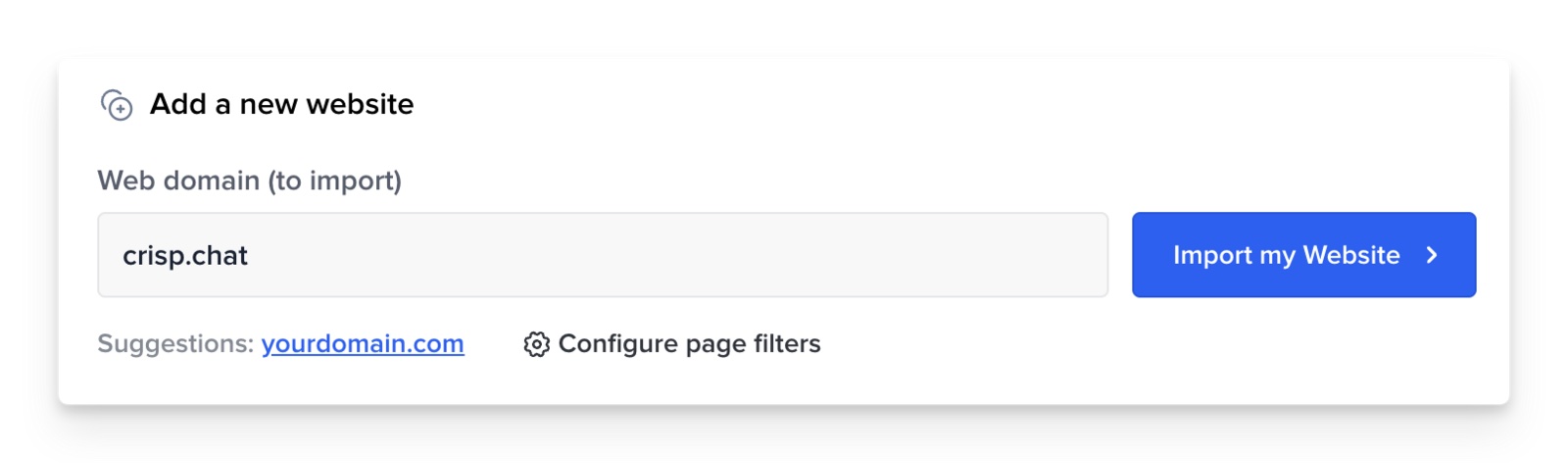
Web pages work differently. Crisp's help article says it does not track or update your web content automatically. When your site changes, someone presses the refresh button for that domain. Domains refresh one at a time, and Essentials and Plus crawl up to 2,000 pages per domain.
The crawler also skips JavaScript. Crisp's words are that dynamic content will not be fetched. If your prices or stock are drawn onto the page by a script, Hugo's copy will not contain them.
Algomo agentic search
Algomo keeps no copy of your website to fall out of date. It knows where your pages live, opens the right one while the visitor waits, and answers from what that page says at that moment. Change a delivery charge at nine, and the answer is right at nine oh one.
Pages built by JavaScript are read the same way, as the visitor's browser shows them. Stock, prices and order status come through the same calls your page makes, at the moment of the question.
Algomo reviews each agent before it goes live. If a reviewed agent ever contradicts your website, your next month is free, under the terms on the guarantee page.
Where the answers come from
| Algomo | Crisp | |
|---|---|---|
| Your website | ✓ The live page, on every question | ✓ A crawled copy |
| When the website changes | ✓ The next answer reads the new page | Someone presses refresh on the domain |
| Content drawn by JavaScript | ✓ Read as the visitor sees it | ✗ Not fetched by the crawler |
| Help articles | ✓ Read live from your site | ✓ Crisp knowledge base, retrained on save |
| Files and snippets | ✓ Saved into Algomo's knowledge base | ✓ Files and private Q&A snippets |
Our take: change one price on a page, wait ten minutes without touching either dashboard, and ask both agents what it costs.
What happened when we asked Crisp's AI on live sites?
TL;DRWe asked Crisp's AI 394 questions on 3 live websites in November 2026, 229 answers were correct, and 3 were still wrong for a fresh visitor when we checked them again.
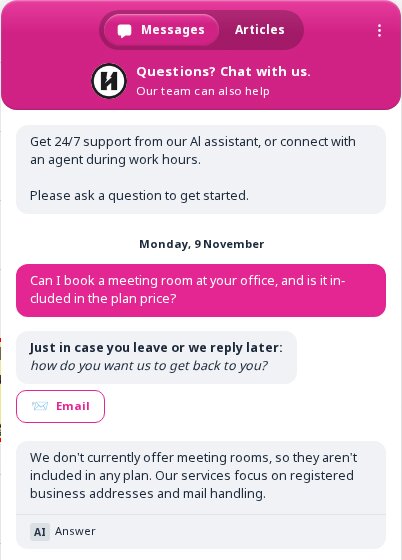
In November 2026 we tried the Crisp chat on 8 live websites. On 5 of them no AI answered, so we asked our questions on the other 3: hoxtonmix.com, compressport.com and powerslide.com. From 7 to 10 November 2026 we asked 394 questions, in rounds of up to 40. 229 answers were correct. A wrong answer was a finding only when the first visitor got it and a fresh visitor, with no cookies, got it again. That gave 8 findings. On 11 November 2026 we checked each of the 8 again against the whole site, and 3 were still wrong with no page on the site to support them. Only those 3 are counted here. One came from hoxtonmix.com and two from compressport.com. We have no screenshots of the two on compressport.com, so only the one on hoxtonmix.com is shown.
The Hoxton Mix: meeting rooms
On 9 November 2026, in the Crisp chat on hoxtonmix.com, we asked: "Can I book a meeting room at your office, and is it included in the plan price?"
The AI answered: "We don't currently offer meeting rooms, so they aren't included in our plan." Three fresh visitors were each told: "We don't currently offer meeting rooms, so they aren't included in any plan. Our services focus on registered business addresses and mail handling."
The FAQ on the Hoxton Mix Virtual Office London page answers "Is there a setup charge?" with: "There are some additional charges for services to expand your virtual office setup, including: 020 London phone number, Mail forwarding options (for physical mail) and Meeting room booking."
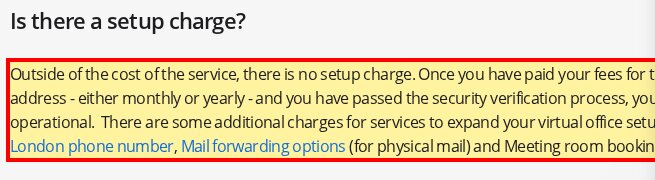
We keep the full record behind every answer above: the transcript, a capture of the page at the time, the screenshots and the time stamps. If you work at Crisp or at a site named here and want that record, write to support@algomo.com.
What can each AI do on the page with your visitor?
TL;DRBoth can act inside the visitor's browser, and the difference is that each Hugo Widget Tool is a handler your developer codes, while Algomo works the page itself from the steps your site already supports.
A visitor who asks for the blue one in a medium wants it in the basket. Doing the step is quicker than explaining it. How far the agent can go on the page decides whether the chat ends in an order.
Crisp Widget Tools
Crisp's June 2026 update describes Hugo triggering actions from your front end, such as guiding a user, applying a discount or pulling account data. Each of those is a Widget Tool your developer registers with the Crisp SDK. Widget Tools only run in a live chat with a visitor, so they do not run in Hugo's test runs or simulations.
Algomo co-navigation
Algomo runs in the visitor's own browser session, with their prices, their region and their basket. It can filter a list, apply a code, add to the basket, open the right page beside the chat, check the visitor's order or book a slot. The visitor sees every step on screen.
It knows which page the visitor is on and what they viewed this visit. It can only do what you gave it a tool for, and it sees only what that visitor may see.
Our take: ask each agent to add one named product in one size to your basket, and count the lines of code your team wrote to make that work.
Where do you build Hugo or Algomo, and who changes it?
TL;DRHugo is set up in Crisp's dashboard with routing rules, instructions and a choice of AI models, while Algomo is built and changed from the coding assistant you already use, with each change staged before it goes live.
Your return window will change, and a new product line will need its own answers. The person who makes that edit, and what they see before it reaches customers, decides how safe each change is.
Crisp Hugo setup
Hugo lives in the AI Agent area of the Crisp dashboard. You write instructions and routing rules, and Hugo can review your setup, score it and suggest updates. You can choose the model from GPT-5.6, Claude Sonnet 5 and two Gemini models, with an automatic option.
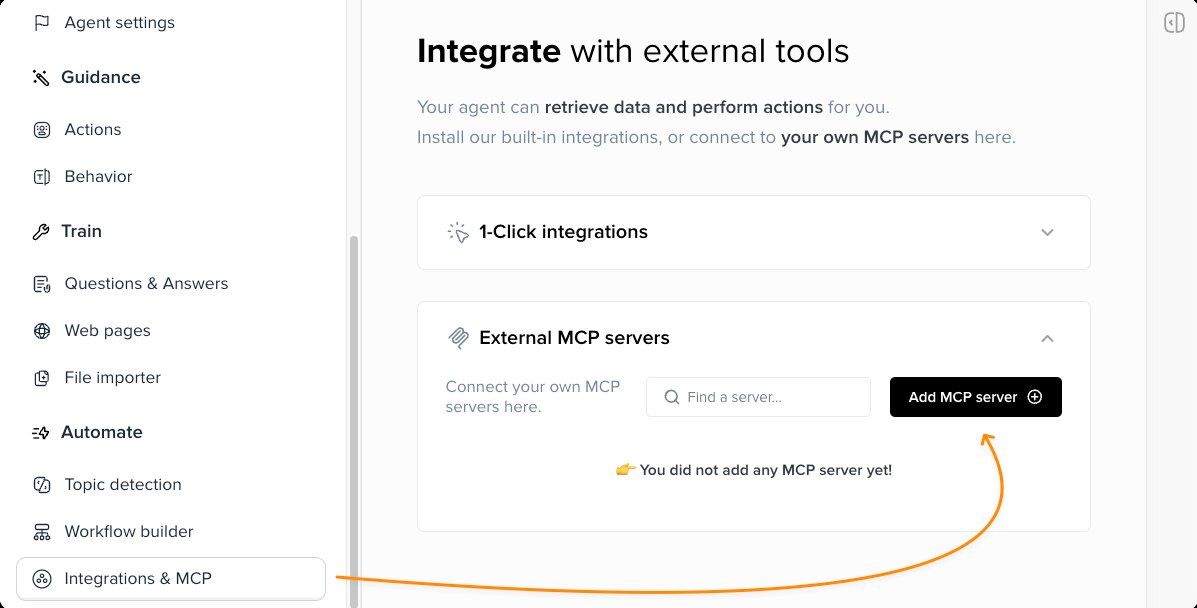
Crisp also runs an MCP server, so an outside assistant such as Claude can read and change data in your workspace, such as changing a conversation's state or sending a message. Crisp's documentation for it does not describe editing Hugo's own setup.
Algomo AI-first platform
You build Algomo from Claude Code, Codex, Cursor, ChatGPT or the Claude app, over MCP. You tell the assistant what the agent should handle, and it writes the configuration for you.
Every change waits in a staging area. You try it on your own site, read exactly what changed, then put it live, and Algomo keeps the history with the reason. A new delivery cut-off is one sentence to your assistant and one approval.
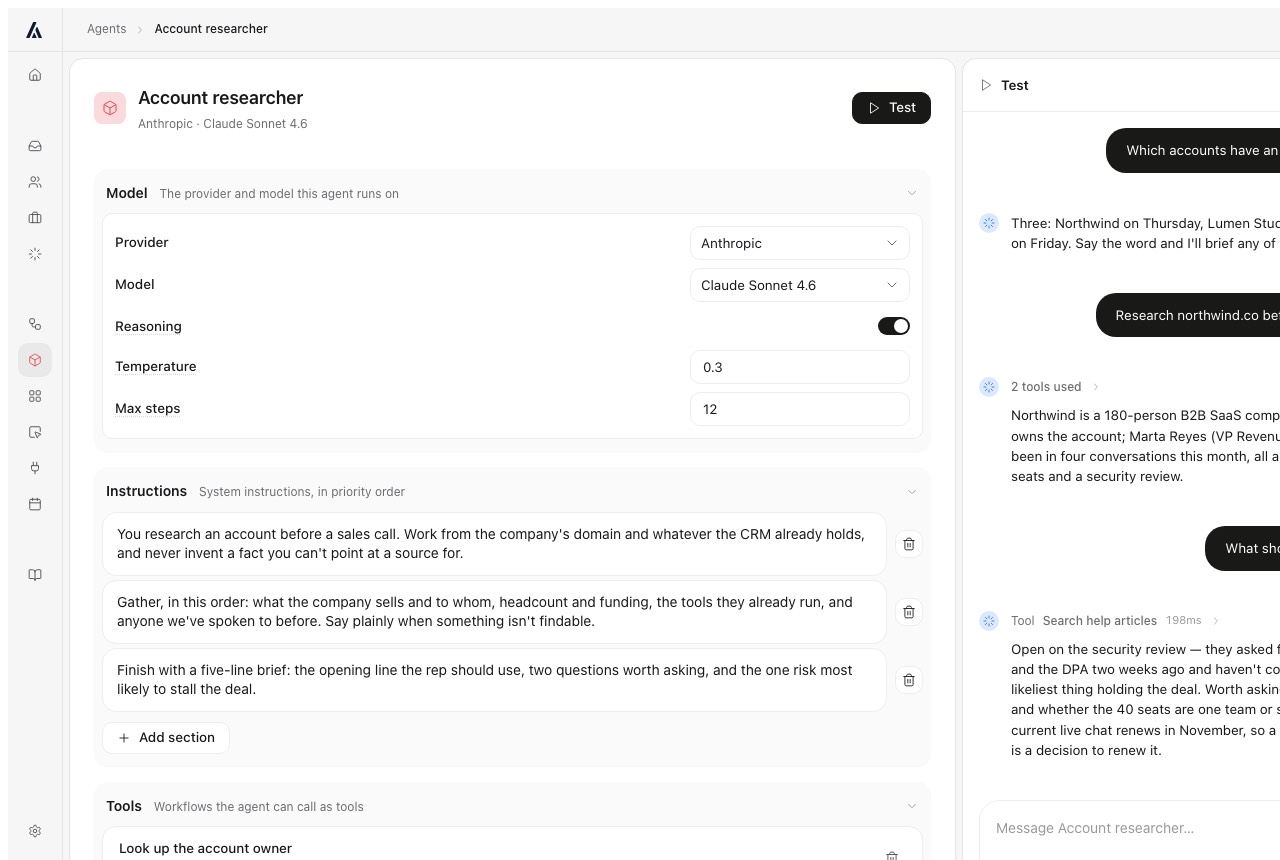
Our take: pick the last policy change your team made, and ask each vendor to make it live while you watch and show you what changed.
What can run before, during and after the chat?
TL;DRCrisp has a workflow builder with webhooks and AI blocks from Essentials, while Algomo runs any function you describe to your coding assistant, during the chat or after it.
Some requests need work your website was never built for. Checking who the visitor is, alerting a manager or following up the next day all fall outside a plain answer.
Crisp workflows
From Essentials, Crisp's no-code builder handles conditional flows, keyword triggers, webhook actions, API calls and AI-agent blocks. On Plus, a workflow can also start when Hugo reaches its billing limit, instead of passing every chat straight to your inbox.
Algomo workflows and widgets
Algomo has a workflow engine behind every agent, which works like a computer behind the chat. Mid-conversation it can send a two-factor code before it shows account details, or alert the account owner. Afterwards it can email a summary, or research the visitor's company and send your salesperson a memo.
You can also describe a small app to your coding assistant, such as a quote calculator or a booking panel. Algomo builds it as a widget your visitor uses inside the chat.
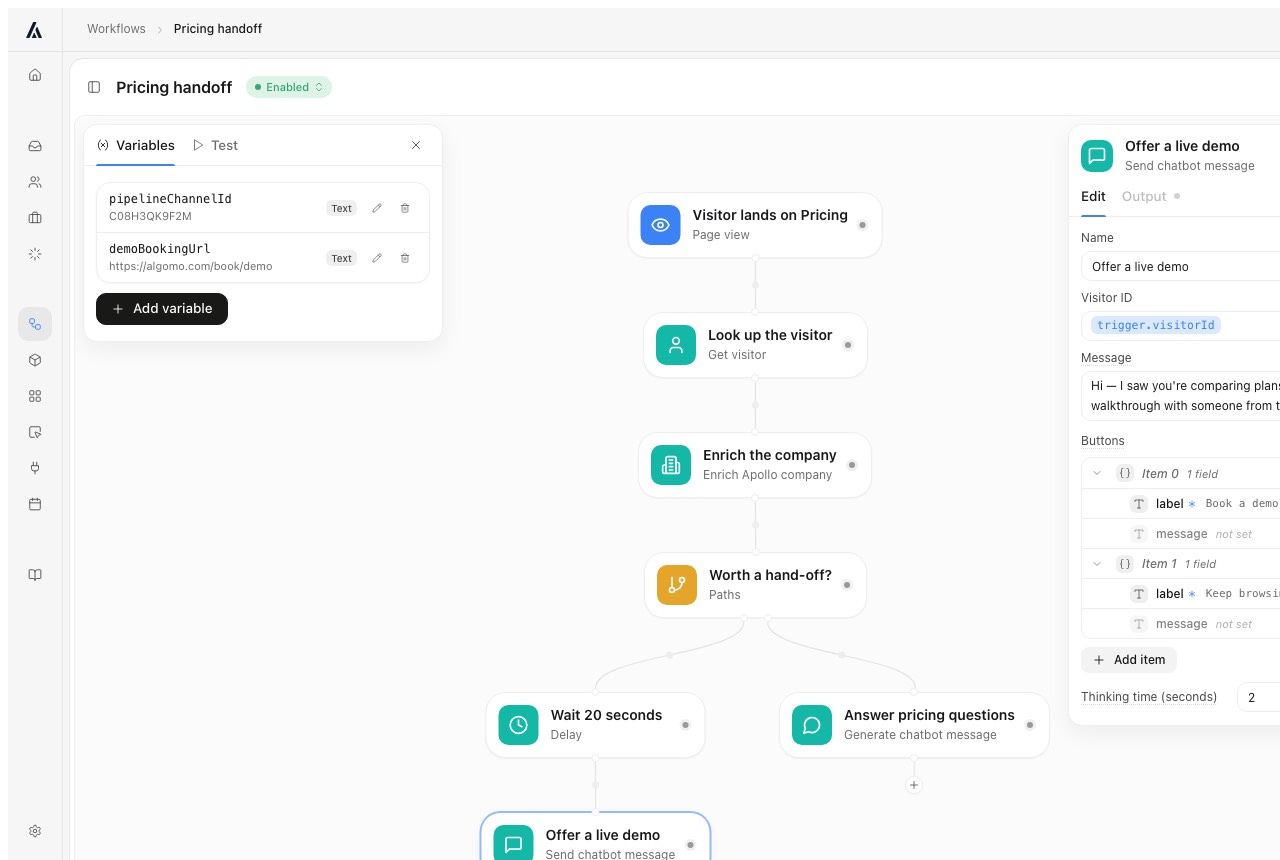
Our take: name one job your team does by hand after a chat, and ask each vendor to run it end to end in the demo.
Which channels does each one answer on?
TL;DRHugo answers on web chat, email, WhatsApp, Messenger and Instagram, and Algomo answers in chat on your website and can send a follow-up email.
Customers write where they already spend their time. If most of yours use WhatsApp or email, an agent on your website reaches only part of them. Count where last month's messages came from before you weigh anything else.
Crisp channels
Crisp's AI page says Hugo can be deployed on the web chat widget, WhatsApp, Messenger, Instagram and email. The inbox itself takes more channels on Essentials, including SMS, Viber, Line and a phone channel.
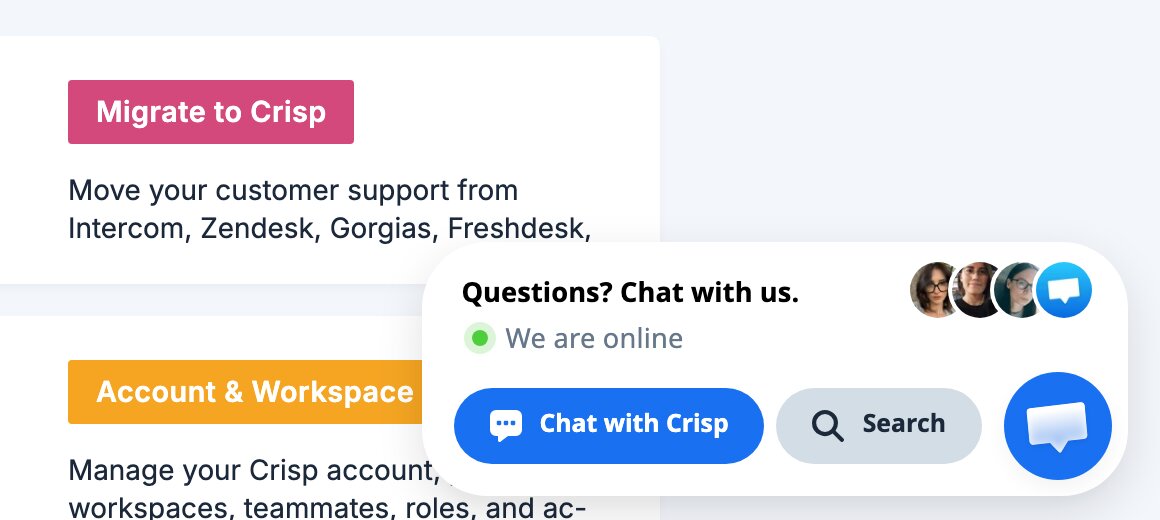
On Crisp's own help centre, the chat opens on a card that reads "Questions? Chat with us."
Algomo channels
Algomo is chat on your website, with a follow-up email to a visitor who has left. It does not answer phone calls or incoming email.
Our take: if most of your conversations arrive on WhatsApp, Instagram or email, Crisp covers them and Algomo does not.
How do you test Hugo or Algomo before customers see it?
TL;DRCrisp tests Hugo in a Playground that spends your AI credits, while Algomo tests on your live site from a separate credit allowance and logs every tool call behind an answer.
Nobody wants a customer to find the bad answer first. You need to try the agent on real questions, and see why it said what it said. The test also has a price.
Crisp Playground and Observability
Hugo's Playground lets you test answers, compare models and inspect what Hugo searched for. Crisp's billing article says testing, training and Playground use can draw on paid AI models, so tests come out of the same credits as live chats.
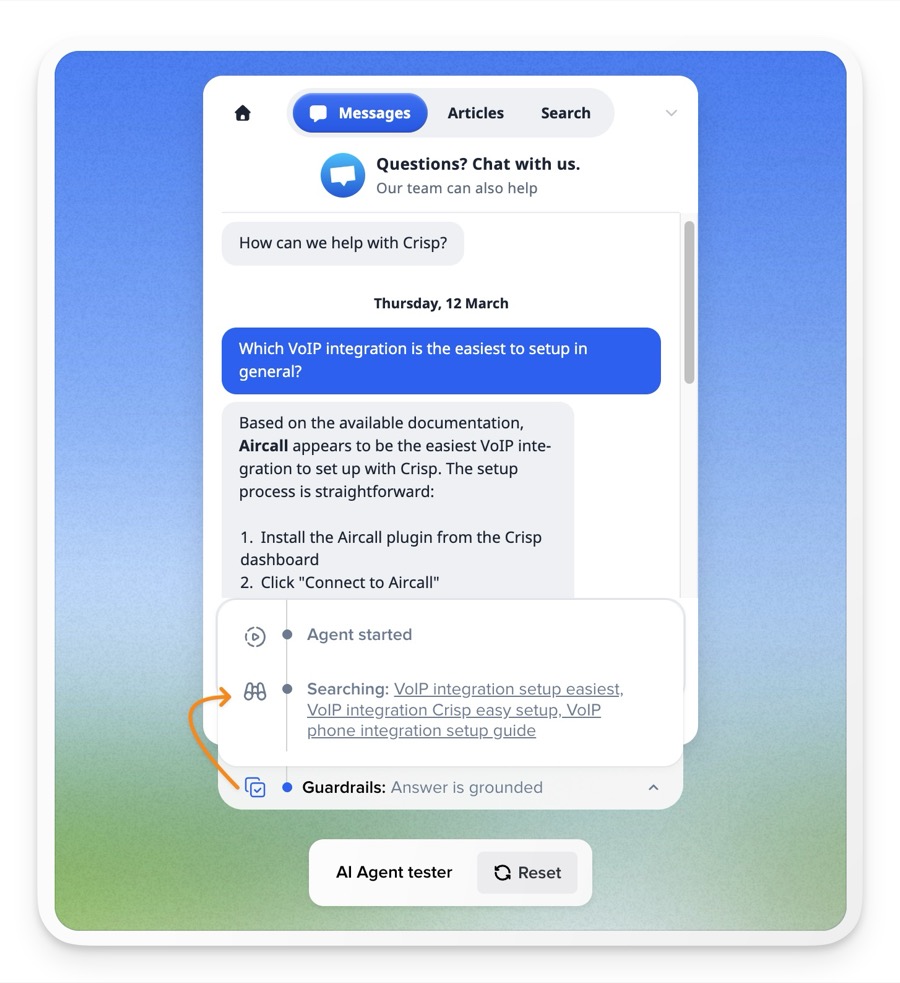
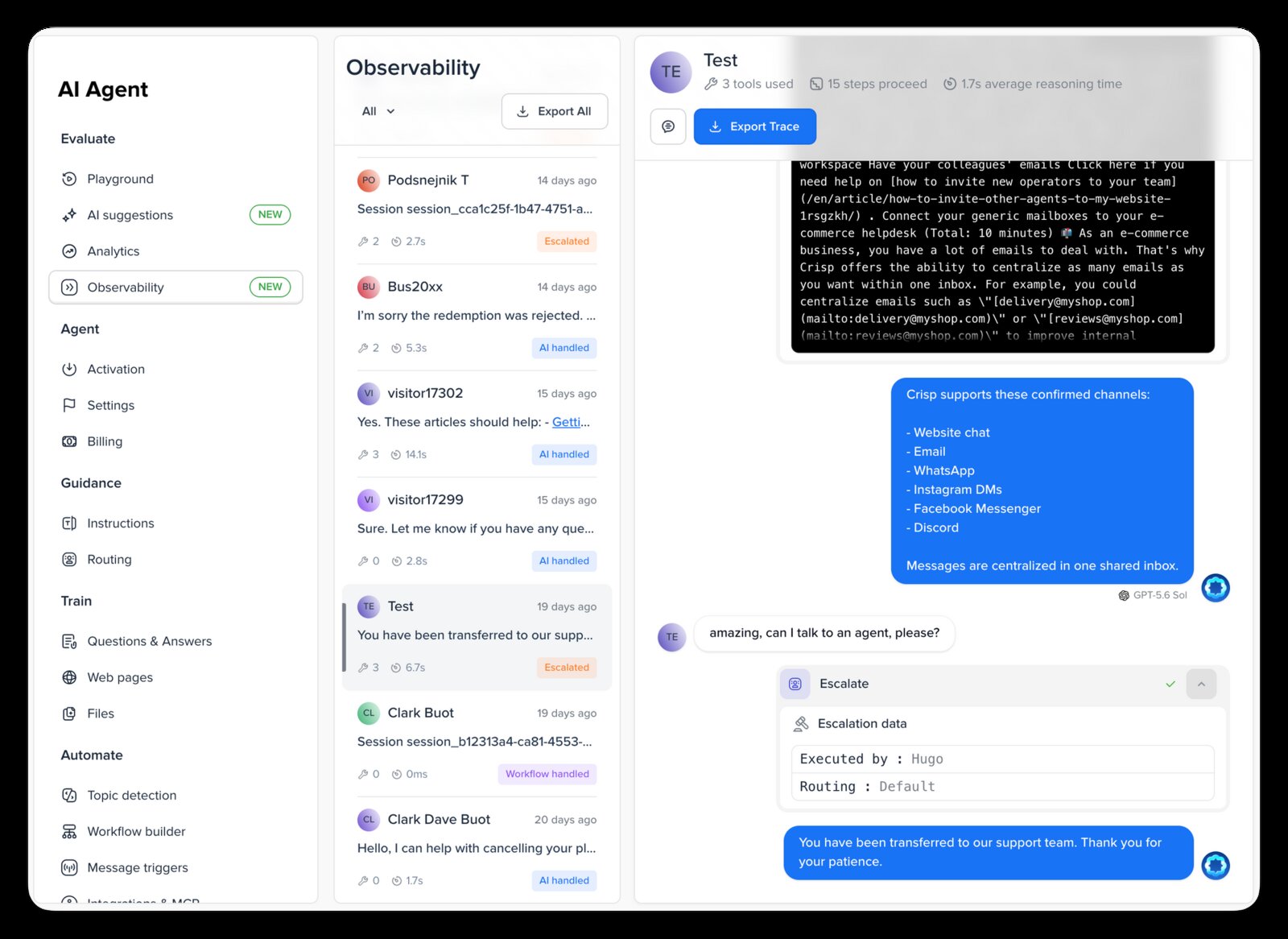
Since September 2026, Hugo Observability shows a timeline for each AI conversation, with the models used, the tools and MCP servers called, the response times and any errors.
Algomo testing and audit
With Algomo's browser extension you preview the agent on your live site before adding any code. Tests spend their own allowance, 200 credits a month on Free and 1,000 on Business, so trying things never eats into live conversations.
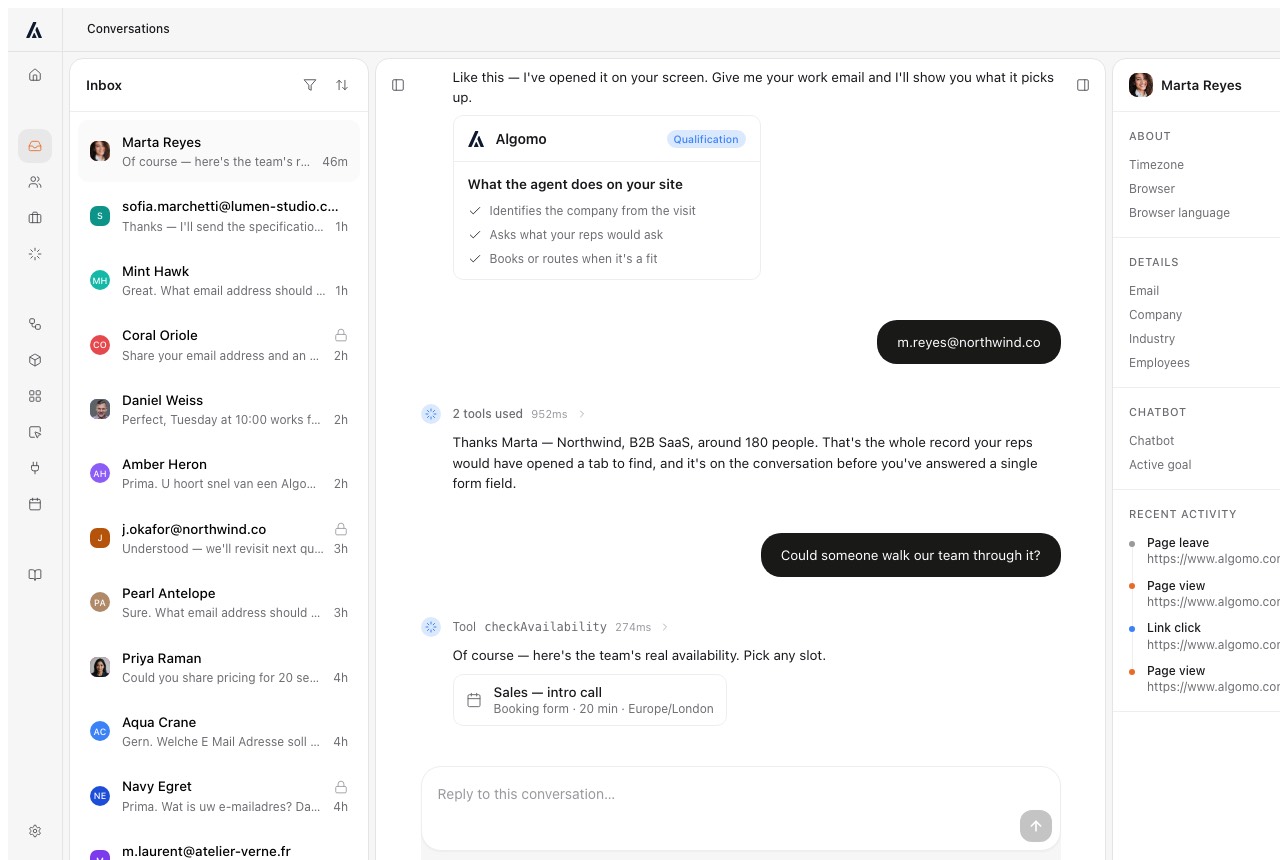
Every answer records the tools it called, with inputs, outputs, time and cost. Each workflow run keeps a trace of its steps.
Our take: run the same twenty test questions on both, then check how much of your live allowance each test run used.
What happens when a person needs to take over?
TL;DRHugo escalates into the Crisp inbox, where Hugo Copilot helps your operator pick it up, while Algomo alerts the right person by email and Slack and they join the live chat with the transcript.
A refund, a complaint or a serious buyer needs a human. The handoff decides whether that person starts with the context or asks the customer to repeat everything.
Crisp handoff
Hugo escalates when it decides a person should take over, when a routing rule says so, or when it runs out of credits. The conversation lands in the shared inbox. Hugo Copilot then helps the operator investigate, summarise and draft a reply.
Algomo handoff
Algomo hands over on rules you set: a topic, a page, or a visitor asking for a person. The right person gets an email and a Slack message and joins the conversation on your site, with the full transcript in front of them.
Our take: trigger a handoff on each, and look at what the person taking over sees before they write a word.
What does each one hold to reach your customers' data?
TL;DRBoth host data in the EU, and Algomo stores no token for anything your website already does, because the agent works from the visitor's browser.
An agent that looks up orders needs a way into your systems. Your security team will ask what the vendor keeps to get that access.
Crisp security
Crisp hosts its data in the EU, with messaging data in the Netherlands, and offers a data processing agreement and two-factor login on every plan. When Hugo calls your MCP server, it authenticates with a bearer token or a username and password that you give Crisp.
Algomo security
Algomo is secure by design. When the agent checks stock or the visitor's own order, the request leaves the visitor's browser the way your page would send it. For all of that, Algomo receives and stores no token or credential.
A system only your staff can reach, such as a CRM, needs a connector. Algomo stores that login encrypted with AES-256-GCM, and you can revoke it at any time.
Algomo is certified to Cyber Essentials across the whole organisation and registered with the ICO under ZA821756. It works to UK and EU GDPR, the EU AI Act and DORA, and hosts its application, database and files in the EU. Algomo's compliance page has the detail.
Our take: ask each vendor for the list of keys and passwords it would hold for your site.
How much does Crisp cost, and which costs more?
TL;DRAt 300 AI conversations a month Crisp's Essentials plan is $95 with ten seats and Algomo is $50, and at 1,000 Crisp comes to roughly $120 to $170 by its own estimate against Algomo's $200.
Both vendors publish their prices, so you can do the sum yourself. The two bills count different things. Your finance team should know the unit before comparing totals.
How Crisp bills
Crisp charges per workspace, monthly. Mini is $45 with 4 seats, Essentials $95 with 10 seats and Plus $295 with 20 seats, and extra seats are $10 a month. The free plan has 2 seats and no AI credits. There is a 14-day trial with no card.
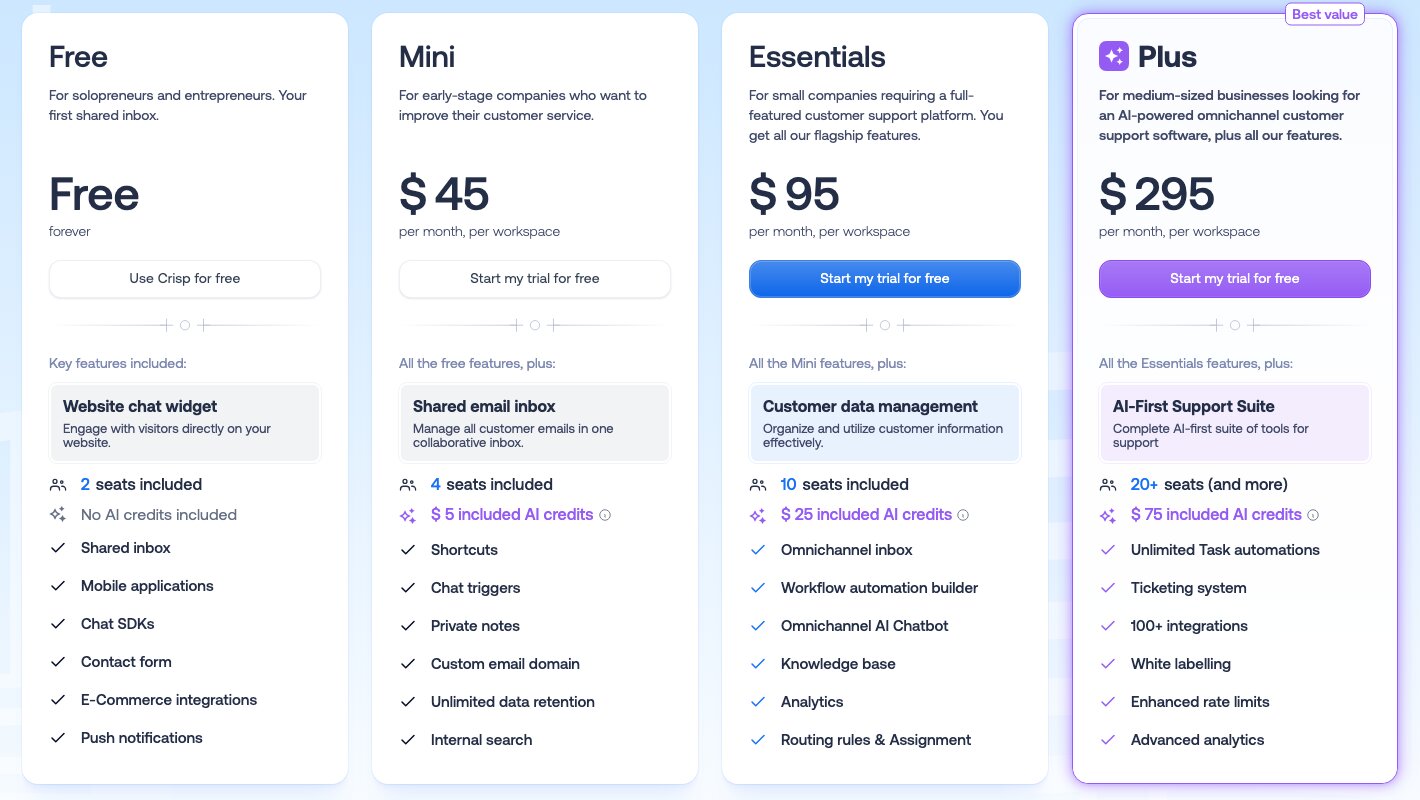
Each paid plan includes AI credits: $5 on Mini, $25 on Essentials and $75 on Plus. Crisp puts those at around 90, 450 and 1,350 automated conversations. Hugo's credits are token-based, so a long conversation or a larger model uses more of them.
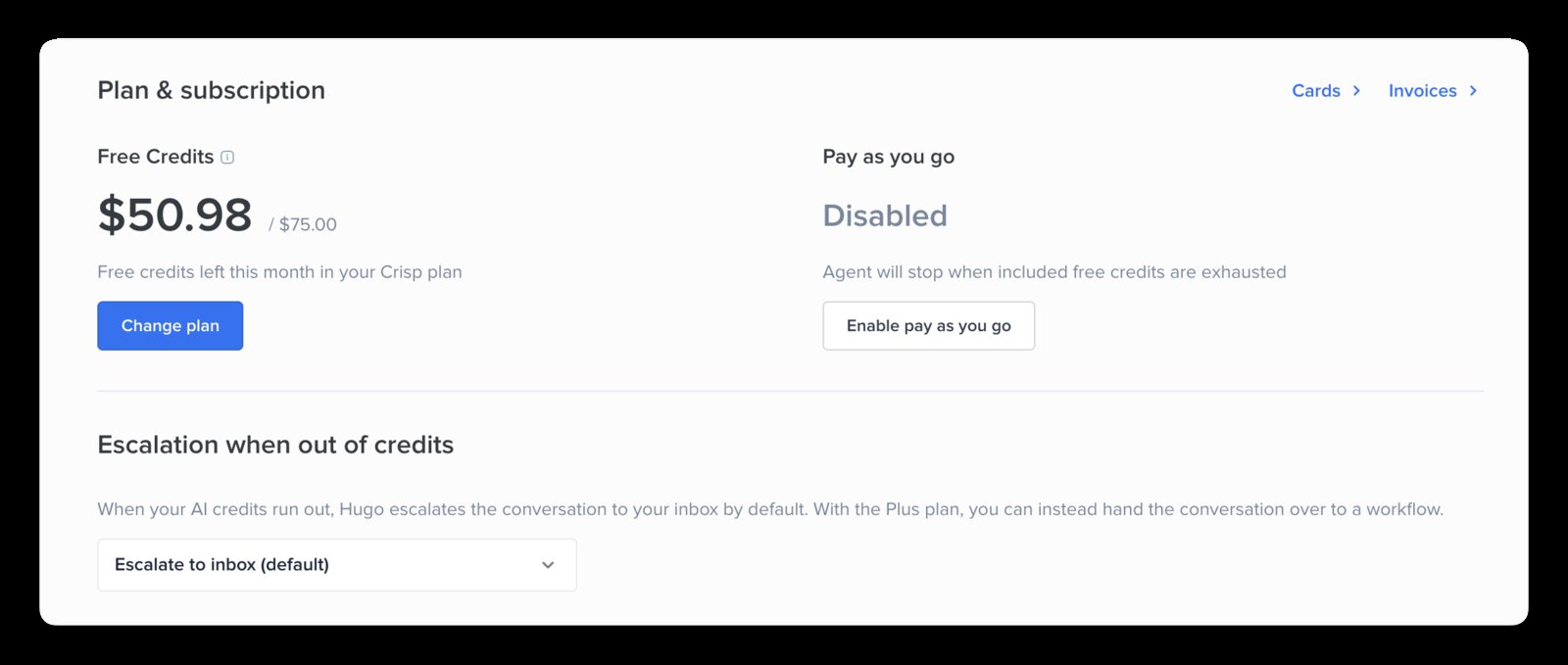
Crisp's billing article estimates a full Hugo conversation at about $0.05 to $0.10. When the credits run out, Hugo stops and chats pass to your team, unless you turn on pay as you go with a limit you set.
How Algomo bills
Algomo's free plan needs no card and includes 100 credits a month, about twenty helped conversations. Past that, you pick one monthly amount from $50 to $4,300, at 40 credits per dollar or more.
A conversation that helped someone costs 5 credits, and 5 more for every further ten replies. One that went nowhere, such as spam, costs nothing. There are no seats.
The amount you picked is the most you can be charged. Unused credits roll over, and the agent pauses when they run out until you renew.
How the two bills behave
| Algomo | Crisp | |
|---|---|---|
| What you pay for | ✓ Credits, at 40 per dollar | A workspace plan, plus AI usage |
| What one AI conversation costs | ✓ 5 credits, plus 5 per further ten replies | Tokens, about $0.05 to $0.10 by Crisp's estimate |
| Seats | ✓ None | 4, 10 or 20 included, then $10 each |
| Testing the agent | ✓ A separate monthly allowance | Uses the same AI credits as live chats |
| When the allowance runs out | The agent pauses until you renew | Hugo hands chats to your team, or pay as you go to your limit |
| A free way to start | ✓ Free plan, no card, no end date | ✓ 14-day trial, no card |
Here is the sum at two sizes. At 300 Hugo conversations a month, Essentials at $95 covers them inside its $25 of credits. On Algomo, 300 helped conversations use 1,500 credits, which fits the $50 plan with its 2,000.
At 1,000 conversations, Crisp's own estimate of $0.05 to $0.10 each gives $50 to $100 of AI use. Essentials includes $25, so roughly $25 to $75 more goes on pay as you go, for $120 to $170 in all. On Algomo, 1,000 helped conversations use 5,000 credits, so you would pick the $200 plan with 8,000.
The Crisp figure is an estimate built from Crisp's own range, and it includes an inbox for ten operators. The Algomo figure is fixed by the plan, and it covers the agent on your website.
Our take: take last month's chat count, price it on both pages, then work out what each bill does if a busy month doubles it.
What to ask any vendor selling you an AI agent
TL;DRFive questions, each with a check you can run during the demo.
- Who writes the code that lets the agent reach our order system? Ask them to connect it while you watch.
- Does the agent answer from our live pages or from an earlier copy? Ask it to show where an answer came from.
- If we change a price now, what does it say ten minutes later? Change one during the call.
- Can it do the step for the visitor, such as adding an item to the basket? Ask it to add one.
- Can it run a step our website cannot, such as sending a two-factor code? Ask it to send one.
Run every check on your own website, never on the vendor's sample site.
Which one should your team choose?
Choose Crisp if
- Most of your conversations arrive on WhatsApp, Instagram, Messenger or by email, and you want them in one inbox.
- You want a public help centre, with articles your customers search, on the same plan as your inbox.
- Your answers live in help articles that rarely change, and nobody needs live stock or prices.
Don't choose Crisp if
- Nobody on your team has time to build an MCP server or code a Widget Tool for each action.
- Your prices, stock or delivery times change often, and a stale answer would cost you.
- Your pages draw key content with JavaScript.
- You want each test of the agent kept off your live AI budget.
- You want the agent to do the steps on the page with the visitor, without code for each one.
Conclusion
TL;DRChoose Crisp when one inbox for email and messaging apps is what you need, and choose Algomo when your customers ask on your website and you want the wiring done for you and every answer read live.
On the first risk, Hugo acts mostly through code your developer writes, while Algomo learns your systems from your own pages and runs the same day. On the second, Hugo answers from a crawl you refresh by hand, while Algomo reads the live page and backs that with a free month.
The builder, the channels, the handoff and the bill all follow from those two answers. For more options, the list of Zendesk alternatives sets several helpdesk and chat tools side by side.
Questions buyers ask about Algomo and Crisp
Is Algomo a good Crisp alternative?
Yes, when your customers' questions start on your website and depend on live data. Algomo connects itself to the systems behind your pages and answers from the live page. If your team mainly needs one inbox for email, WhatsApp and Instagram, Crisp is built for that inbox.
How much does Crisp cost?
Crisp's pricing page lists a free plan with 2 seats and no AI, then Mini at $45, Essentials at $95 and Plus at $295 a month per workspace, with 4, 10 and 20 seats. Each paid plan includes $5, $25 or $75 of AI credits for Hugo, and extra seats are $10 a month. Enterprise is priced on request.
Does Crisp charge per resolution for Hugo?
No. Crisp says you will not pay a dollar per resolved conversation. Hugo's usage is billed in token-based credits, which Crisp estimates at about $0.05 to $0.10 for a full conversation. Testing and training in the Playground use the same credits.
What are the main Crisp alternatives and competitors?
Crisp sits among live chat and inbox tools, and its own Zendesk alternative page sets it against Zendesk. On this site, Algomo is also compared with Tidio, tawk.to and Intercom, each on its own page, and the list of Zendesk alternatives sets more side by side.
Does Hugo update when my website changes?
Not by itself. Crisp's help centre says it does not track or update your web content automatically, so someone presses refresh on the domain. Crisp knowledge base articles retrain Hugo on save. Algomo reads the live page on every question, so there is nothing to refresh.
Can I keep Crisp and add Algomo?
Yes. Algomo works on any website with no platform app, and its handover can alert your team by email and Slack. You could keep Crisp for email and messaging apps and use Algomo for questions on your site.
Which AI models do Hugo and Algomo use?
Hugo lets you choose from GPT-5.6, Claude Sonnet 5 and two Gemini models, with an automatic option. Algomo's default model is from OpenAI, and on the Enterprise plan you choose the provider.
Where these facts come from
All the information on this page was available in November 2026. The sources are:
- Crisp's pricing page: plans, seats, AI credits, the trial, and which channel and feature comes with which plan.
- Crisp's AI page: Hugo's channels and the line on per-resolution charges.
- Crisp's about page: the company, its founding year, its home in Nantes and its funding.
- Crisp's Zendesk alternative page: how Crisp positions itself.
- The Hugo billing article: token-based credits, the per-conversation estimate, testing costs and pay as you go.
- The Hugo training article: knowledge sources, manual refresh, JavaScript and domain limits.
- The Hugo troubleshooting article: the Playground and the 2,000-page crawl limit.
- The Widget Tools article and the Widget Tools developer guide: who builds them and how they run.
- The Hugo MCP quickstart: connecting Hugo to an MCP server you build.
- The Crisp MCP server guide: what an outside assistant can reach.
- Crisp's June 2026 update and Crisp's summer 2026 update: front-end actions, Shopify tools, Hugo Copilot, Observability and the model list.
- Algomo's pricing page, Algomo's product page, Algomo's compliance page and the guarantee page.
- The demo library, for the Blinds 2go demo, the Nike demo and the Qualtrics demo.