
Summarize withChatGPTPerplexityClaudeGrokAlgomo vs Help Scout
TL;DRBuyers of an AI agent fear a long integration and answers that go stale, and Scout answers from imported pages while Algomo reaches your live systems itself and reads each page as the question arrives.
Two names matter on Help Scout's side. Envoy is the paid add-on, and Scout is the AI agent it switches on.
Algomo vs Help Scout at a glance
| Algomo | Help Scout | |
|---|---|---|
| Main job | An AI agent for your website, with an inbox your team takes over from, for support and inbound sales. | A help desk built around a shared email inbox, with a knowledge base, live chat and Scout as an add-on. |
| Owner | Algomo | Help Scout, independent and privately held, led by CEO Toby Gabriner. |
| Who does the integration | Algomo's AI, from the requests your pages already send. | Scout reads knowledge sources. Questions about one customer's account go to your team. |
| Where the answers come from | The live page and the live data behind it. | A Help Scout Docs site kept in sync, plus website pages, Google Docs and text that you re-sync by hand. |
| Published pricing | Free plan, then one monthly amount from $50 to $4,300. | Free plan without AI, then $25, $45 or $75 a user a month yearly. Envoy adds $0.75 a resolution. |
| Where the AI answers | Chat on your website, with a follow-up email. | The Beacon chat widget and email. |
| Biggest limitation | Does not answer phone calls or incoming email. | Its website knowledge stays as it was imported until someone re-syncs it. |
What part of Help Scout do you need?
TL;DRHelp Scout for a small team that answers email from one shared inbox, and Algomo for visitors who ask on your website about stock, orders, prices or bookings.
Help Scout and Algomo meet where an AI answers a customer. The rest of each product points somewhere else. Pick the line that describes your work:
- Your team answers most questions by email, in one shared inbox: Help Scout.
- Your help articles live in a Help Scout Docs site already: Help Scout.
- Visitors ask on your site about things that change, such as stock or a delivery date: Algomo.
- You want the agent to act on the page, such as filling a basket or booking a slot: Algomo.
The integration and the freshness of answers come first below. The builder, channels, testing, handover and bill follow.
Can the AI reach your order, stock or booking system?
TL;DRThe Scout articles describe knowledge sources and handoffs, so account questions go to your team, while Algomo connects to the systems your pages already call and has a first version live the same day.
Many of the questions a support team gets are about one customer: where is my order, is this in stock, can I move my booking. Answering them needs a live link to the system that knows. Building that link is where AI projects usually lose months.
Help Scout integrations
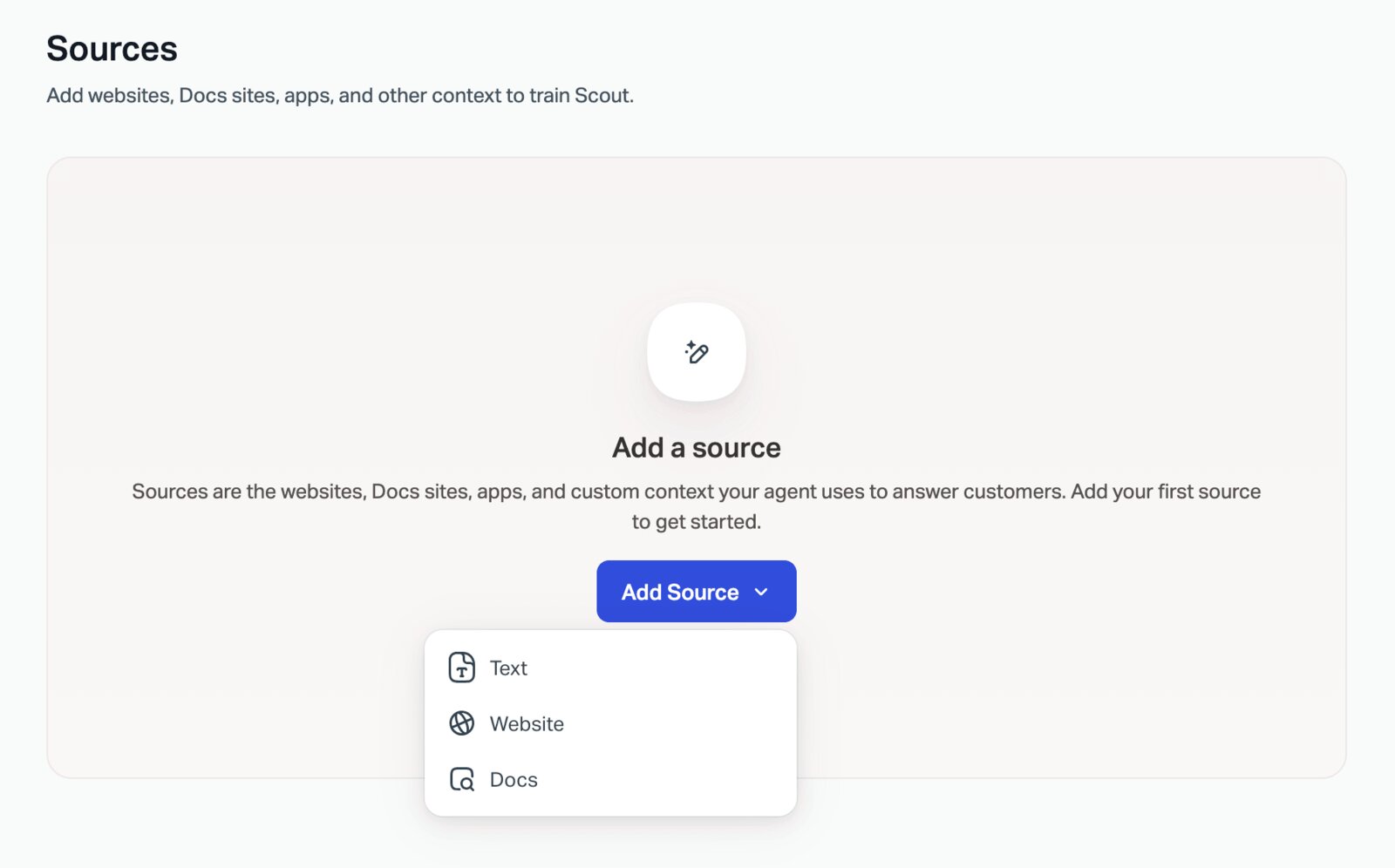
Scout's sources are a Help Scout Docs site, website pages, Google Docs and Sheets, and short text entries. Its other settings shape tone, length and audience. Help Scout says those settings do not add to what Scout knows.
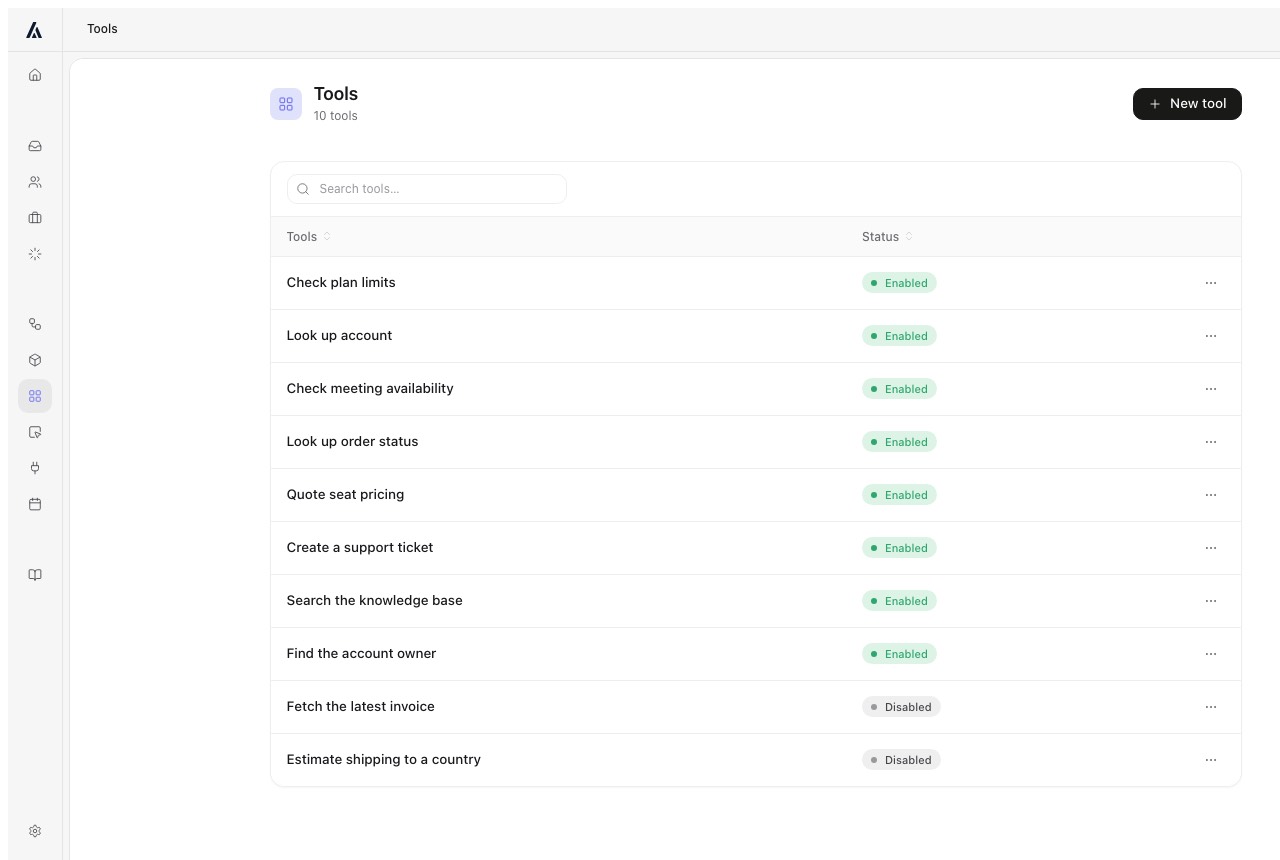
The Scout articles read for this comparison describe no way for Scout to call your order or booking system. Help Scout's own best-practice guide says a question needing account-specific help may need a team member, and suggests an entry that points the customer to support.
Help Scout connects to Salesforce, Jira and HubSpot on the Plus plan. Those integrations show customer data to your team in the inbox.
Algomo integrations
Algomo begins with your website address. It watches the requests your pages make, for stock, orders or bookings, and turns each one into a tool its agent can call. Algomo's AI deployment engineer handles finding, wiring and maintaining those links. You see a first version the same day.
The harder your stack, the bigger the gap: a home-grown booking engine, an old ERP, a platform with no app in any marketplace. Staff-only systems use a connector, from the Business plan. If a site redesign breaks a link, Algomo flags it so the mapping can be rebuilt.
The demo library shows this on real brands. The Blinds 2go demo prices three made-to-measure windows in one card using the site's own price engine. The Nike demo reads a live price and UK 9.5 stock. The IKEA demo checks stock at IKEA Bristol.
Reaching the systems behind your site
| Algomo | Help Scout | |
|---|---|---|
| Answers about one customer's order | ✓ From the call your order page makes | Handed to your team |
| Live stock or availability | ✓ Read when the question is asked | From imported pages, as of the last sync |
| Who builds the links | ✓ Algomo's AI, from your site's requests | No links for Scout described in its articles |
| First version answering | ✓ The same day | Once your sources are added |
Our take: pick the five most common questions in last month's inbox, mark the ones about a single customer, and ask each vendor to answer those live.
Will Scout repeat a policy you have already changed?
TL;DRIt can, because Scout keeps imported website pages until someone presses Re-sync, while Algomo opens the live page and gives a free month if a reviewed agent contradicts it.
A shipping fee changes, a returns window moves, a product is discontinued. If the AI works from an older import, it states the old fact with confidence. Your team learns about it from an annoyed customer.
Help Scout knowledge
Scout stays in sync with a Help Scout Docs site all the time, so an edit there reaches the AI straight away.
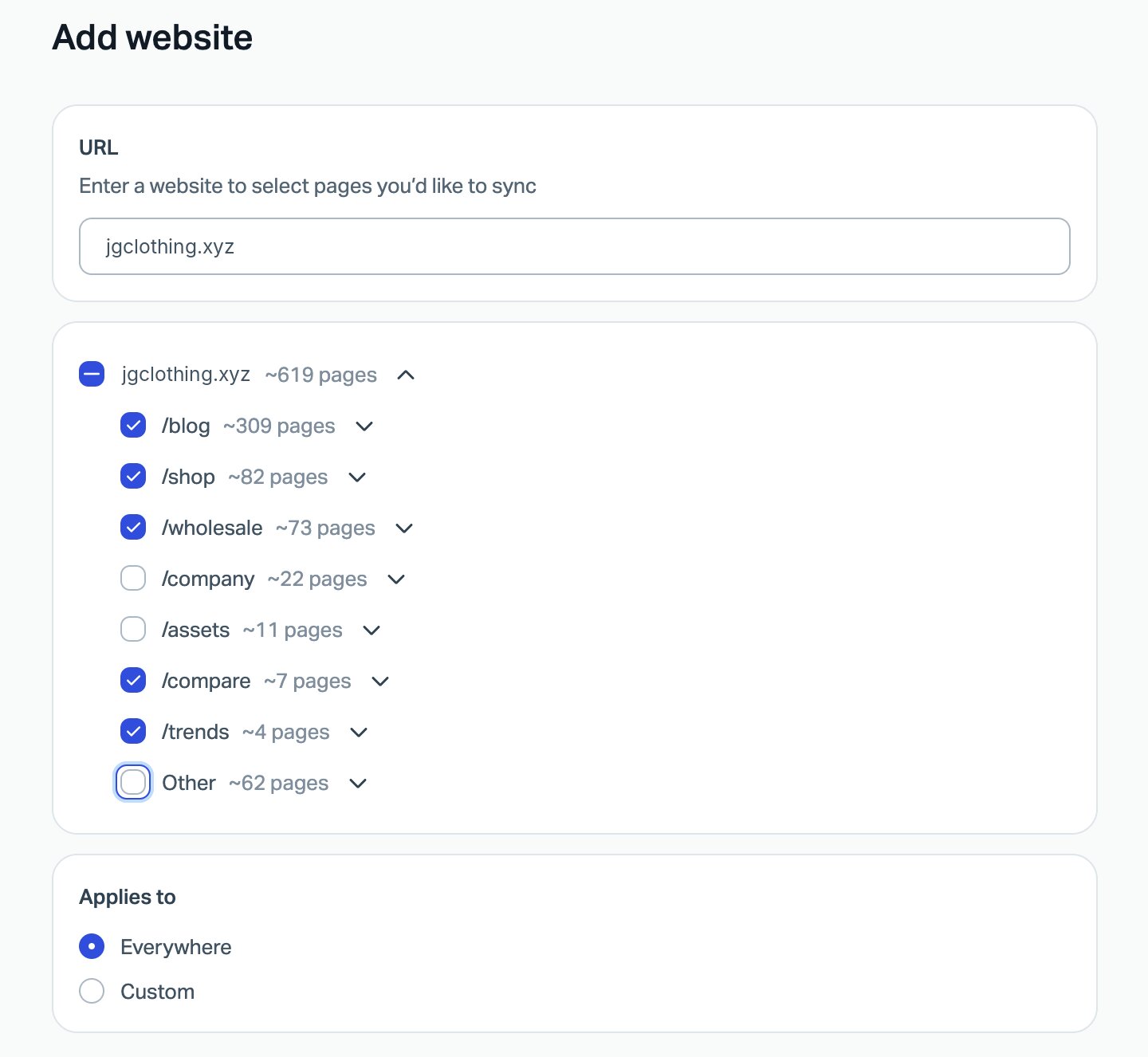
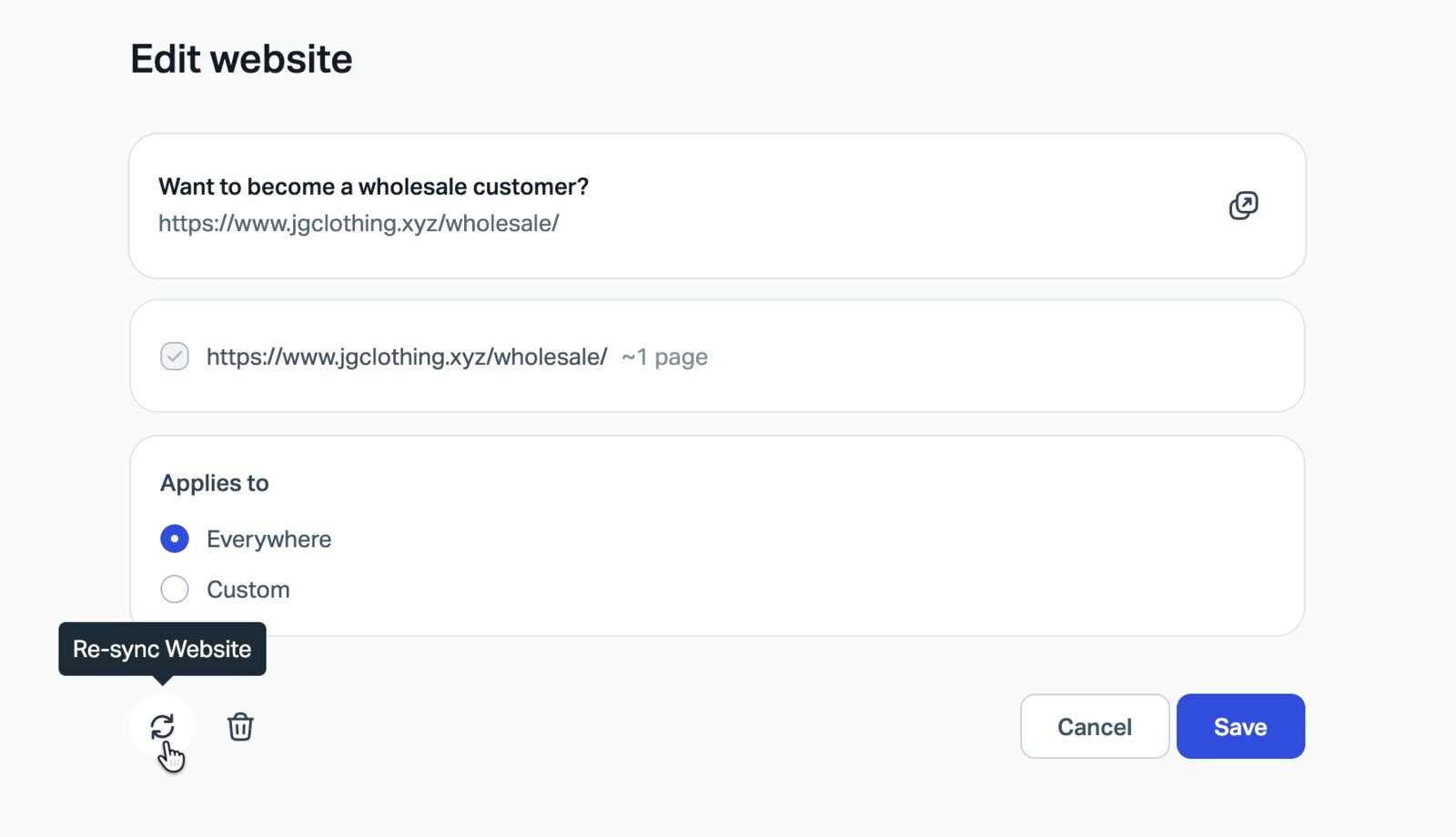
Every other source behaves differently. When you add a website, you pick pages from a list and Scout imports them, including PDFs and Word or Excel files on those pages. Help Scout's article says Scout does not pick up website changes on its own. Someone opens the source and clicks Re-sync Website.
Algomo agentic search
Algomo stores no import of your site. It knows where each page lives, opens the one that answers the question, and replies from what it says at that moment. Edit a returns page at lunch, and the next visitor hears the new policy. There is no sync button.
Live values such as stock or an order status come through the same call your page uses. Algomo reviews each agent before launch. If a reviewed agent then contradicts your website, your next month is free, as the guarantee page sets out.
How fresh each answer is
| Algomo | Help Scout | |
|---|---|---|
| Your help articles | ✓ Read live from your site | ✓ Help Scout Docs, kept in sync |
| Your marketing and policy pages | ✓ Read live on each question | Imported, then re-synced by hand |
| A page edited this morning | ✓ Used in the next answer | ✗ Old version until the next re-sync |
| A promise if the AI contradicts the site | ✓ Next month free for a reviewed agent | Not listed |
Our take: edit one line on a policy page, leave both products alone for a day, and ask each agent about that policy.
What happened when we asked Scout on live sites?
TL;DRWe asked Help Scout's AI 133 questions on 23 live websites in November 2026, 85 answers matched the site, and 8 sites each gave one wrong answer that a second, fresh visitor heard again.
On 21 November 2026 we looked at 25 websites whose Help Scout Beacon has AI Answers switched on. Two would not open in our browser, so we asked questions on 23. Each of the 133 questions was written from a line the site prints, and 85 answers matched the site. Hedges, hand-off offers and questions back to us are not counted as wrong. An answer counted as wrong only when it contradicted the site for one visitor and again for a fresh visitor with no cookies, and when a search of the site and its help centre found no page that supports it. That left 8 wrong answers, one on each of 8 sites, so they do not bunch on one site. In one of the 8, Document Library Pro, Scout did not deny the Black Friday deal. It named a nonprofit discount as the current offer. Where a site's Beacon asked for an email address before answering, we gave a test address and nothing else.
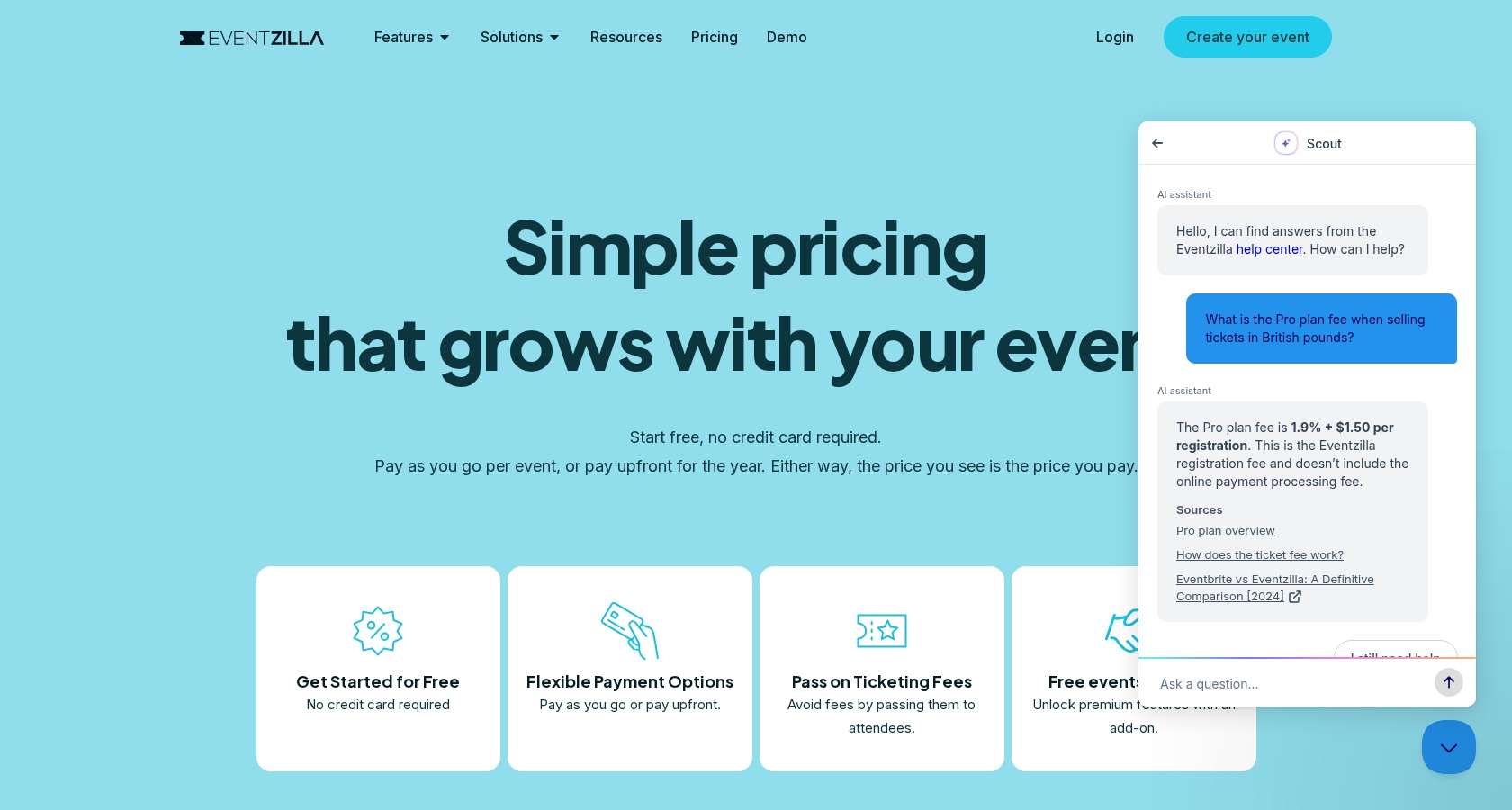
Eventzilla: the Pro fee for tickets in British pounds
On 21 November 2026, the chat was open on the pricing page of eventzilla.net. We asked: "What is the Pro plan fee when selling tickets in British pounds?"
Scout said: "The Pro plan fee is 1.9% + $1.50 per registration." The first visitor heard the same words.
The pricing page lists the Pro fee per currency, and the help article on supported currencies has the row "United Kingdom (GBP)" with "2% + £1.50" for Pro. The 1.9% + $1.50 figure is the fee in US dollars. Eventzilla's Beacon settings, which anyone can fetch, have AI Answers switched on.
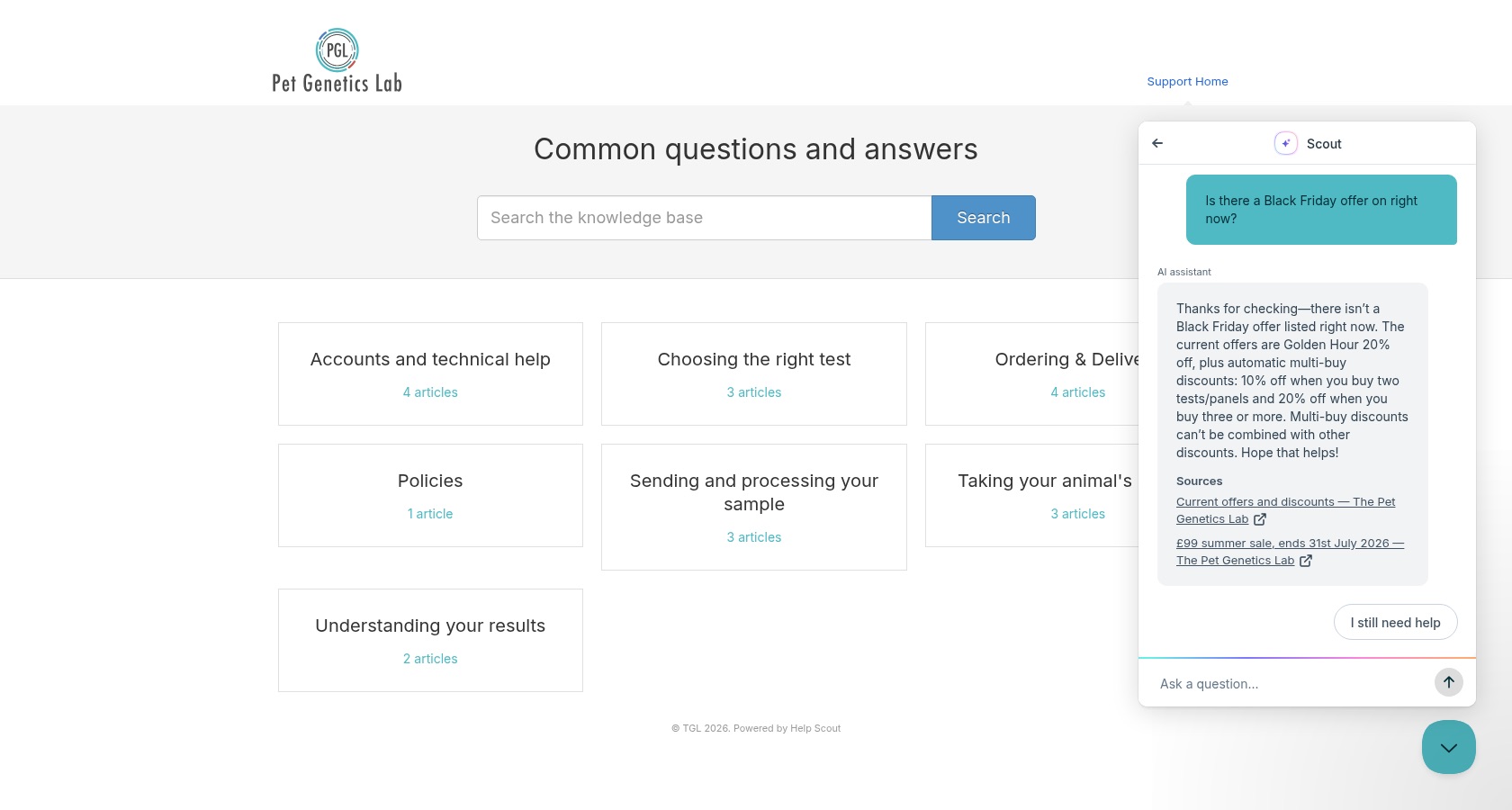
Pet Genetics Lab: the Black Friday offer
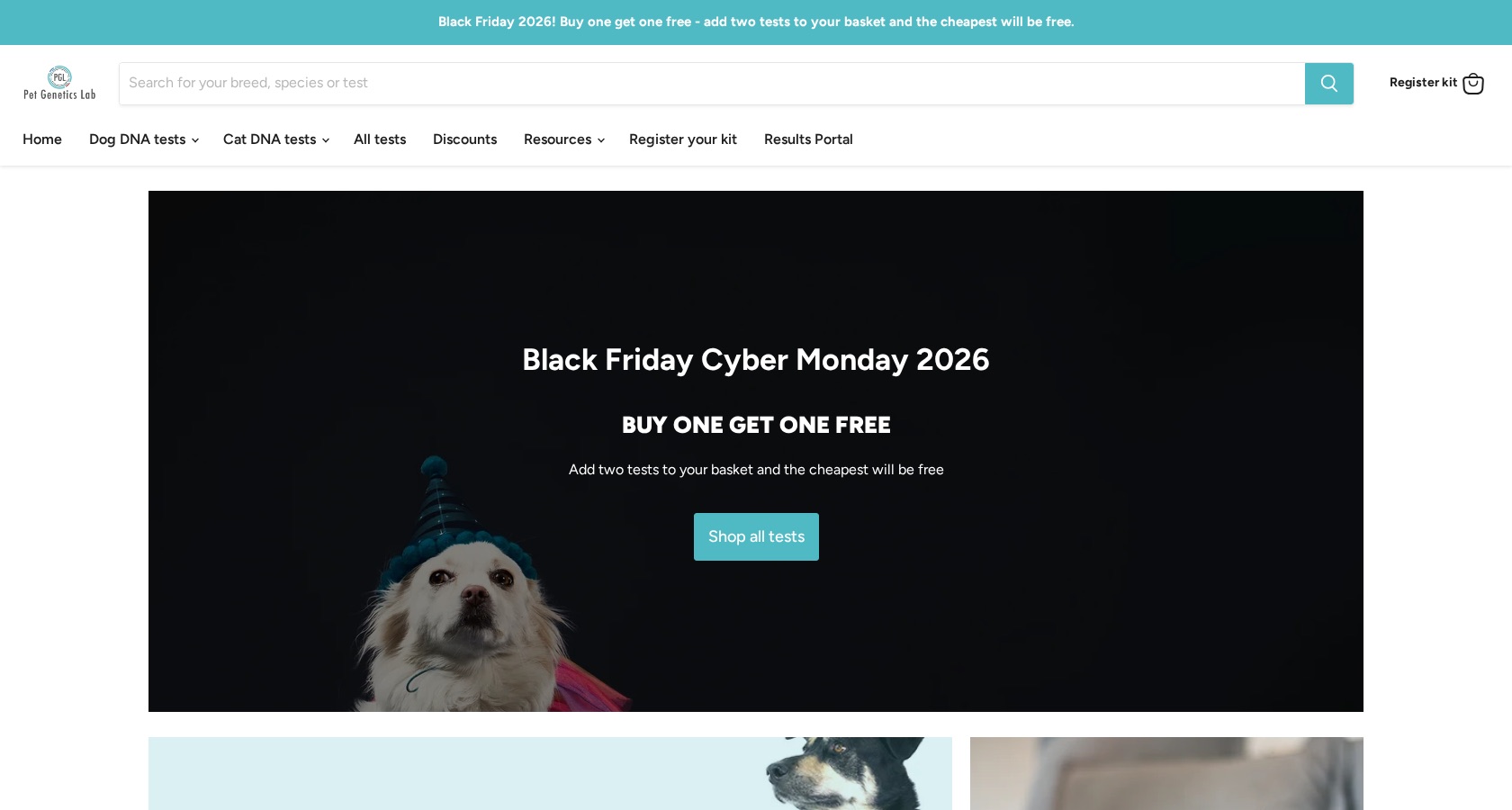
On 21 November 2026, the chat was open on support.petgeneticslab.co.uk, the help centre of a UK pet DNA test shop. We asked: "Is there a Black Friday offer on right now?"
Scout said: "there isn't a Black Friday offer listed right now. The current offers are Golden Hour 20% off, plus automatic multi-buy discounts." The first visitor heard the same words.
The shop's home page, petgeneticslab.co.uk, opens with the banner "Black Friday 2026! Buy one get one free" and the heading "Black Friday Cyber Monday 2026". The offers page says the shop runs "other promotions and offers from time to time". No page says there is no Black Friday offer.
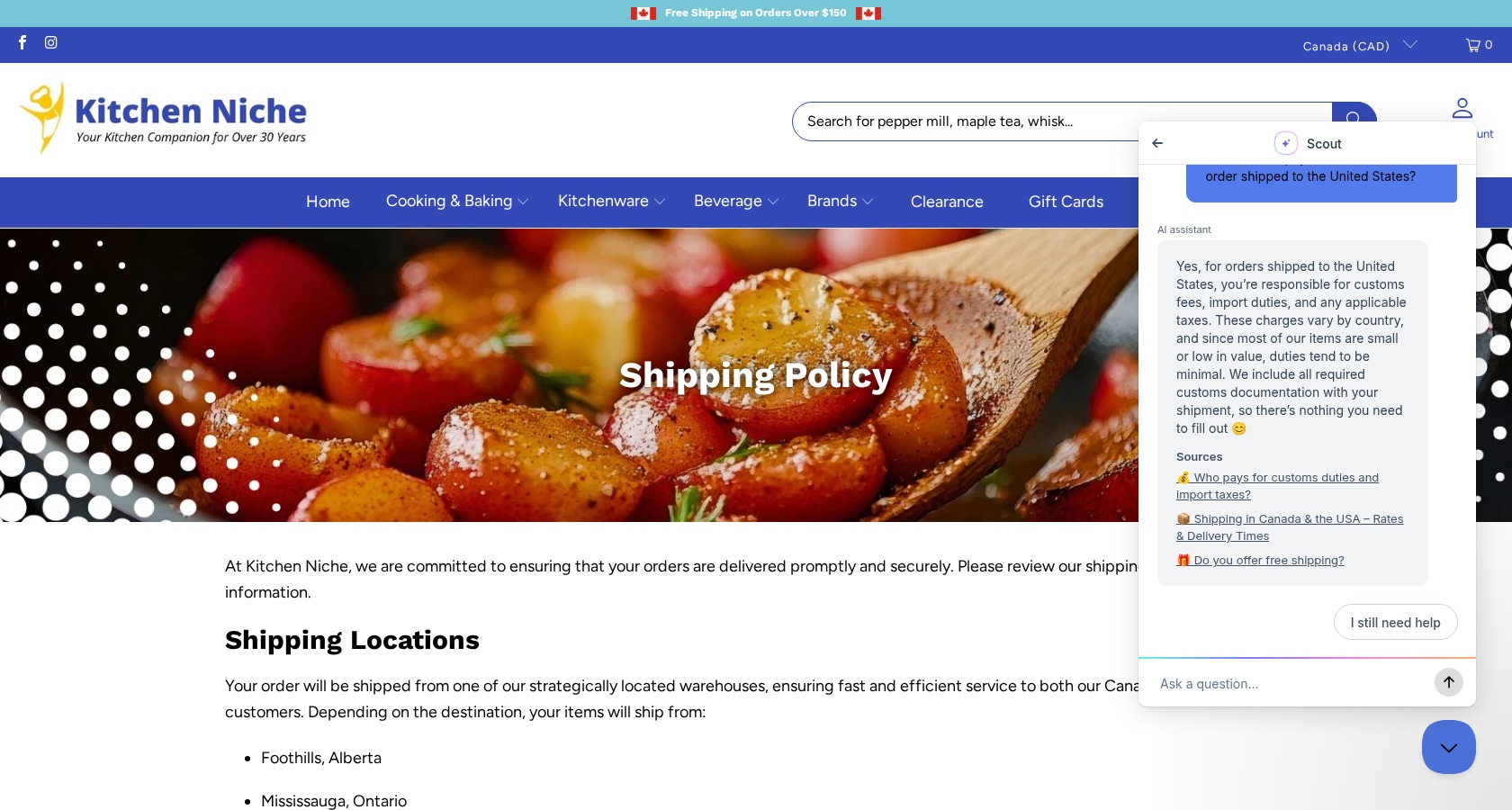
Kitchen Niche: duties on an order to the United States
On 21 November 2026, the chat was open on the shipping policy page of kitchenniche.ca, a Canadian kitchenware shop. We asked: "Will I have to pay duties or taxes on an order shipped to the United States?"
Scout said: "Yes, for orders shipped to the United States, you're responsible for customs fees, import duties, and any applicable taxes." The first visitor heard the same words.
The same shipping policy says: "US Orders are shipped with UPS or USPS. There are no taxes or duties on US orders." The help article Scout cited sits in a category for orders outside Canada and the US.
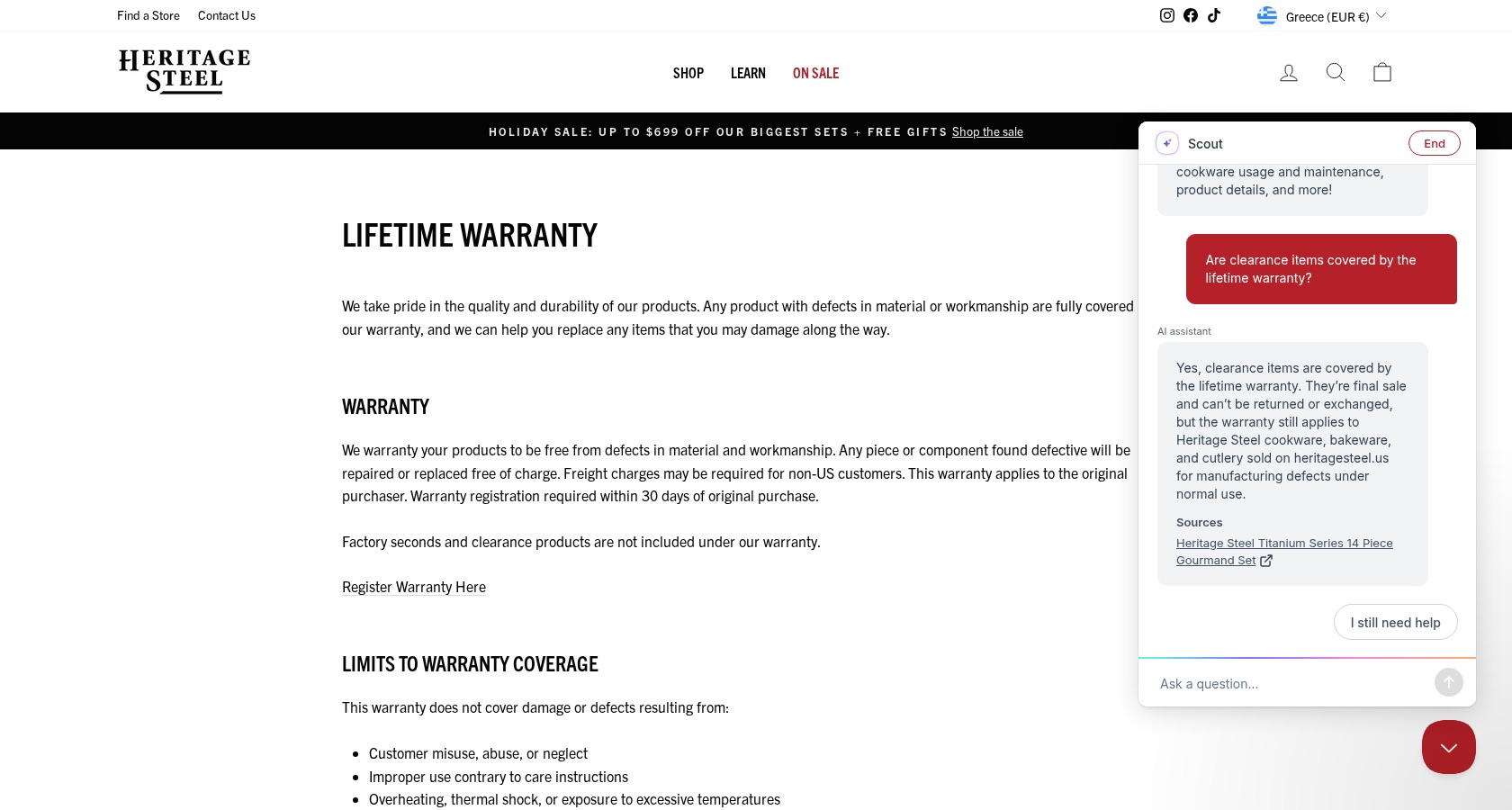
Heritage Steel: clearance items and the lifetime warranty
On 21 November 2026, the chat was open on the lifetime warranty page of heritagesteel.us, a US cookware maker. We asked: "Are clearance items covered by the lifetime warranty?"
Scout said: "Yes, clearance items are covered by the lifetime warranty." The first visitor heard the same words.
The page beside the chat says: "Factory seconds and clearance products are not included under our warranty." The factory seconds page says the same. Later that day a third visitor heard that clearance items are final sale, without the claim that the warranty covers them.
We keep the full record behind every answer above: the transcript, a capture of the page at the time, the screenshots and the time stamps. If you work at Help Scout or at a site named here and want that record, write to support@algomo.com.
How do you set the agent up, and change it later?
TL;DRScout is set up in Help Scout's screens with sources, exclusions, roles and tone, and its MCP connector reads data only, while Algomo is built and changed from your coding assistant with each change staged first.
Your agent will need edits every month. New products, new rules, a topic it should leave to people. Where those edits happen, and what you see before they go live, decides the risk your team takes on.
Help Scout setup screens
In Help Scout, an admin builds Scout from a few screens. Sources set what it knows. Exclusions list topics it hands to your team at once. Roles give it different contexts, such as a support inbox or an in-app chat, and settings choose length, tone and emoji.
Help Scout's MCP connector lets Claude, ChatGPT or Cursor search your conversations and reports. MCP is the open protocol one piece of software uses to work another. Help Scout's article says the connector is read-only for now and does not describe configuring Scout through it.
Algomo AI-first platform
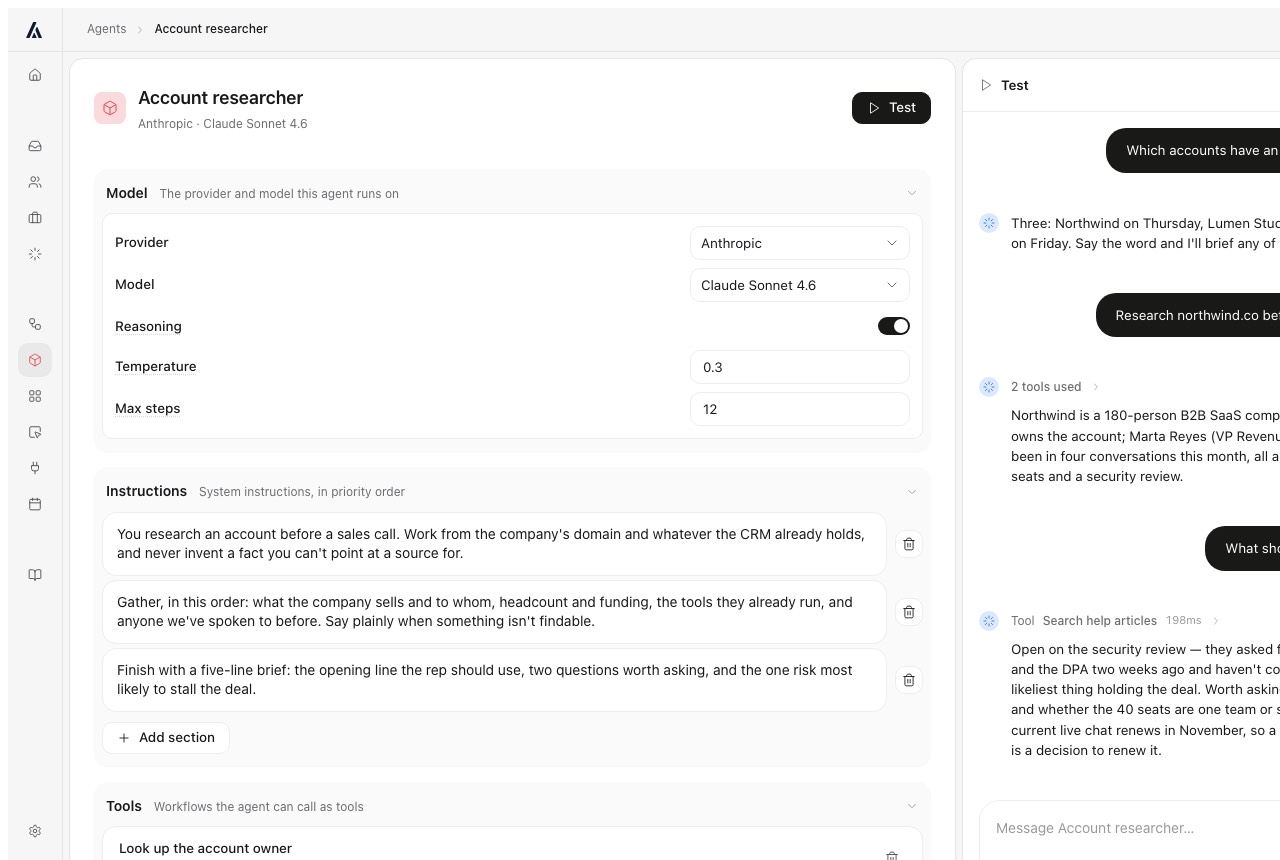
With Algomo, your team works from Claude Code, Codex, Cursor, ChatGPT or the Claude app, over MCP. You state the rule in a sentence, and the assistant writes the agent's configuration.
Nothing ships unseen. Each change is staged, you test it on your own site and read what changed, then you put it live, and Algomo keeps the history. If free delivery moves from $50 to $75, that is one sentence, one review and one approval.
Our take: ask each vendor to change one rule while you watch, and note what you were shown before it went live.
Can the AI do something for the visitor, or only reply?
TL;DRScout replies with answers and hands harder requests to your team, while Algomo works in the visitor's own browser session and completes steps on the page in front of them.
A visitor asking how to do something often wants it done. An agent that explains the steps leaves the work with the visitor. One that does them finishes the job while the visitor is still there.
Help Scout Scout replies
Help Scout describes Scout as resolving conversations when it has reliable information and handing off sensitive topics, complex account issues and requests that need judgement. Its pricing page says you choose what the agent can do, and its Scout articles describe answers and handoffs.
Algomo co-navigation
Algomo works inside the visitor's own browser session, on your page, with their prices and basket. It can filter results, apply a code, add an item to the basket, open a page beside the chat or book a slot, and the visitor watches each step.
It sees which page the visitor is on and what they looked at this visit, and only what that visitor may see. Replies can be cards, tables and buttons. It runs on any website with no platform app.
Our take: ask each agent to book one real slot or fill one real basket on your site, and see which one finishes the task.
What else can run while the visitor is chatting, or after?
TL;DRHelp Scout's workflows route and tag conversations in its inbox, while Algomo runs any function you describe during and after the chat, such as a two-factor check or a background research memo.
Some tasks fall between the website and the inbox. Verifying a customer, warning a manager, following up the next day. Someone does them, and the question is whether it is a person.
Help Scout workflows
Help Scout's workflows act on conversations in the inbox, with basic workflows on Standard, advanced ones on Plus and unlimited ones on Pro. Round robin routing comes with Plus.
Algomo workflows and widgets
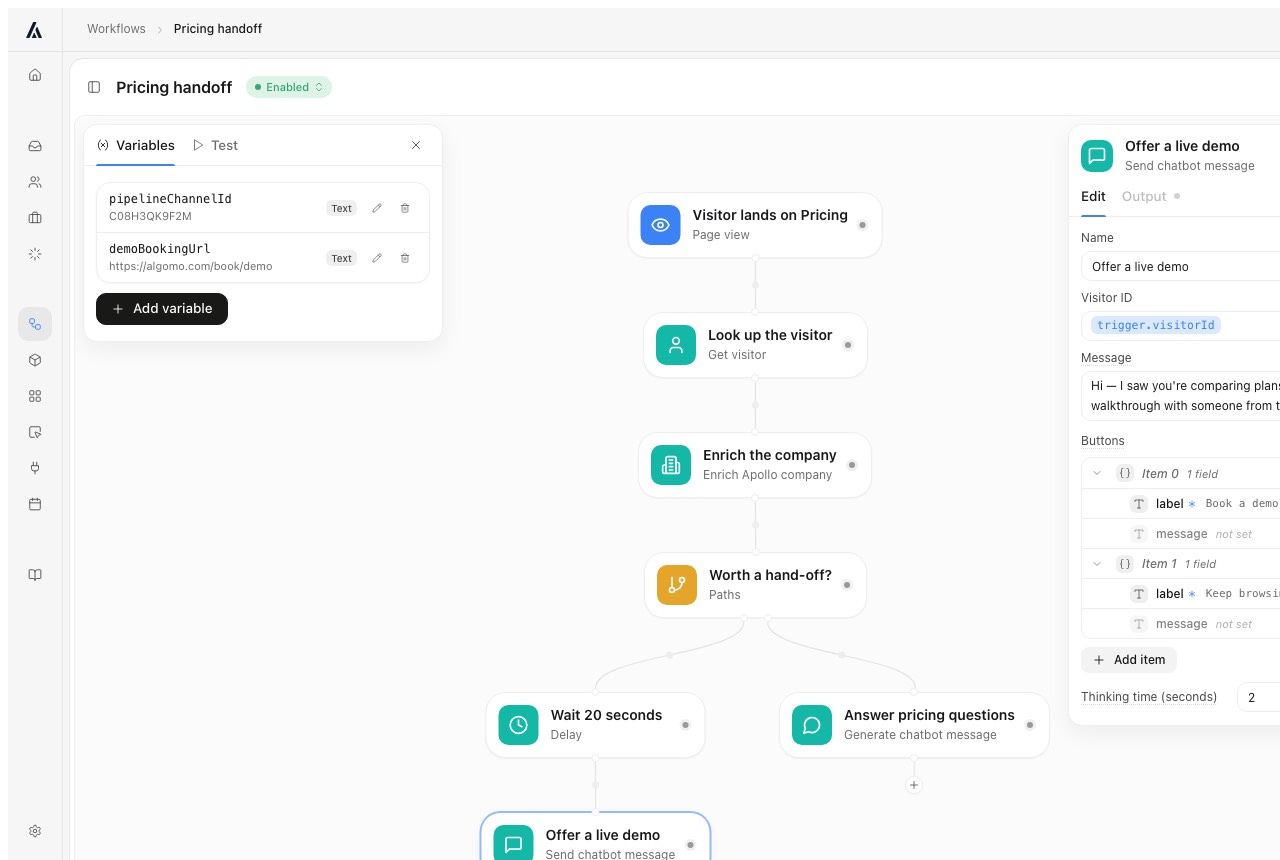
Every Algomo agent has a workflow engine behind it. In the chat it can send a two-factor code before showing account details, route by your rules or ping a person in Slack. Afterwards it can send a summary by email or research the visitor's company and send your salesperson a memo.
Describe a small tool to your coding assistant, such as a quote calculator, and the visitor uses it inside the chat.
Our take: write down one task your team repeats after every chat, and ask each vendor to run it with nobody involved.
Can it turn a buyer on your site into a booked meeting?
TL;DRHelp Scout describes its plans for support teams, while Algomo's agent qualifies a website visitor, books the meeting in the chat and routes it to the right owner on any CRM.
A visitor on your pricing page may be your next customer. If nobody answers, or a form sends them to a queue, the meeting goes elsewhere.
Help Scout for sales
Help Scout's pricing page describes plans for support teams, and its CRM integrations with Salesforce and HubSpot come with Plus. The Scout articles read here do not describe booking a meeting.
Algomo inbound sales
Algomo looks up a visitor who shares an email or a domain, so it skips questions it can answer itself. It shows a calendar in the chat, books the meeting and shares meetings across your team by round robin. An account with an open opportunity goes straight to its owner.
It works with Salesforce and with any other CRM, and sends the salesperson a brief before the call. Algomo does not identify anonymous visitors. It tested that kind of data, judged it too weak, and does not use it.
Our take: ask for a demo on your own pricing page, as a buyer, and check whose calendar each product puts you in.
Where does each AI answer customers?
TL;DRScout answers in the Beacon widget and in your email inbox, while Algomo answers in chat on your website and can send a follow-up email.
If your customers write by email, an agent that only lives on your website reaches a fraction of them. Count before you choose.
Help Scout channels
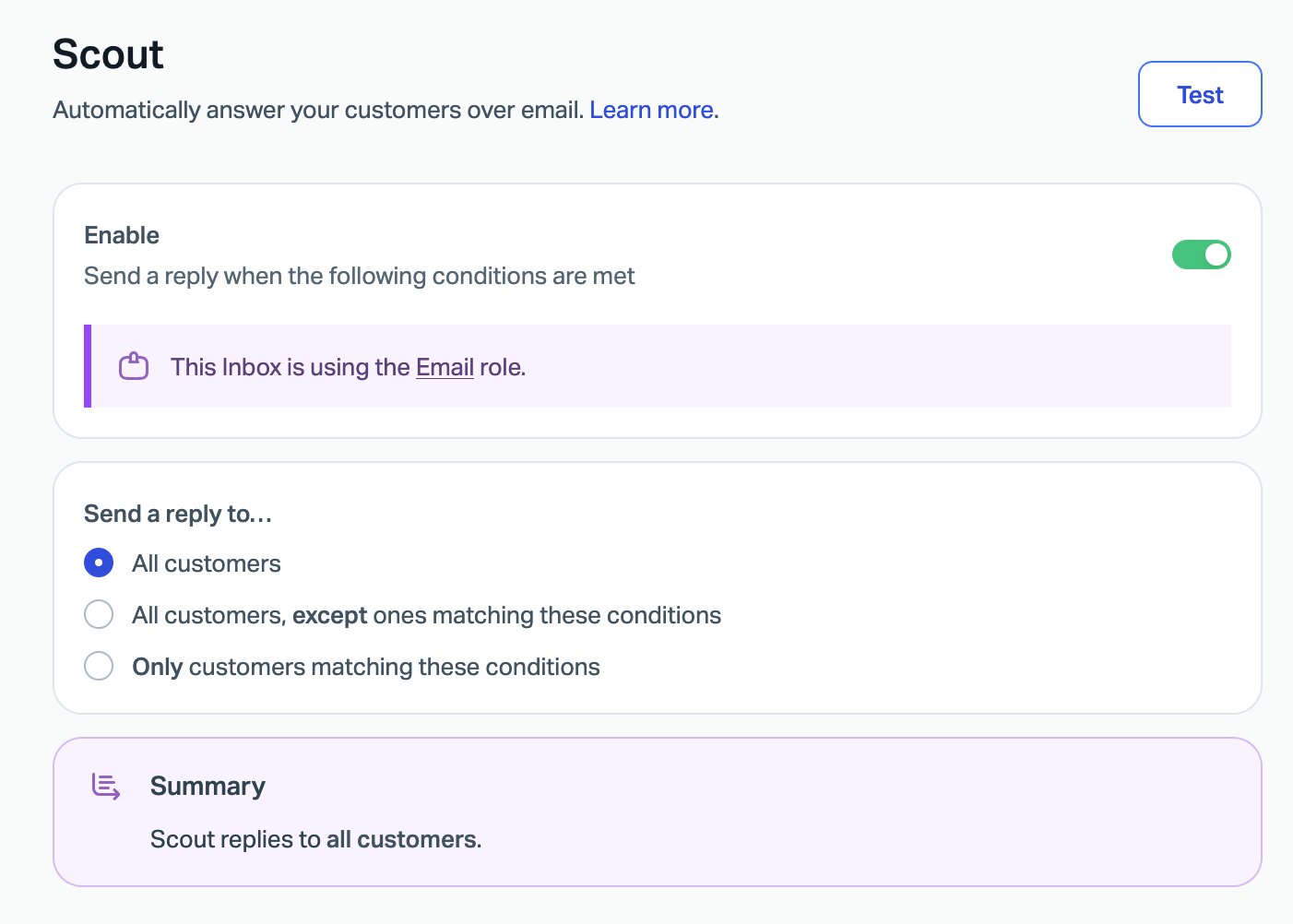
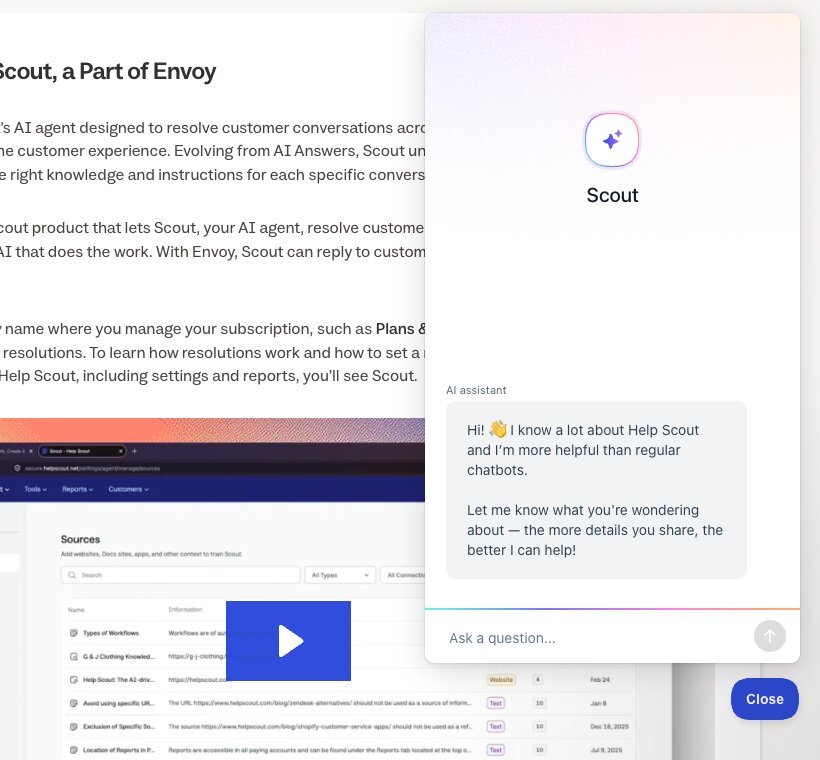
Scout replies in Beacon, Help Scout's chat widget, and in email. Turned on for an inbox, it replies to every new conversation, or only to customers who match conditions you set.
Help Scout's Standard plan adds live chat, SMS, WhatsApp, Instagram and Messenger for your team. Calls come in through Aircall, which has preferred pricing on Pro. Help Scout runs its own Beacon on its docs site, with Scout greeting each visitor.
Algomo channels
Algomo answers in chat on your website and can email a visitor after they leave. It does not answer phone calls or incoming email.
Our take: if most of your questions arrive by email, choose Help Scout, and sort last month's conversations by channel first.
How do you check its answers before and after launch?
TL;DRScout has a test screen with an activity log and reports that label each conversation, while Algomo tests on your live site and logs every tool call behind an answer.
Testing before launch catches the obvious errors. After launch, the question is how quickly your team can see why one answer went wrong.
Help Scout testing
Scout's Test screen lets you ask questions in a chat view or pick email conversations. An activity panel lists each step, such as the question identified, the sources collected and an exclusion that fired. Help Scout suggests testing several phrasings, since one good reply does not guarantee the next.
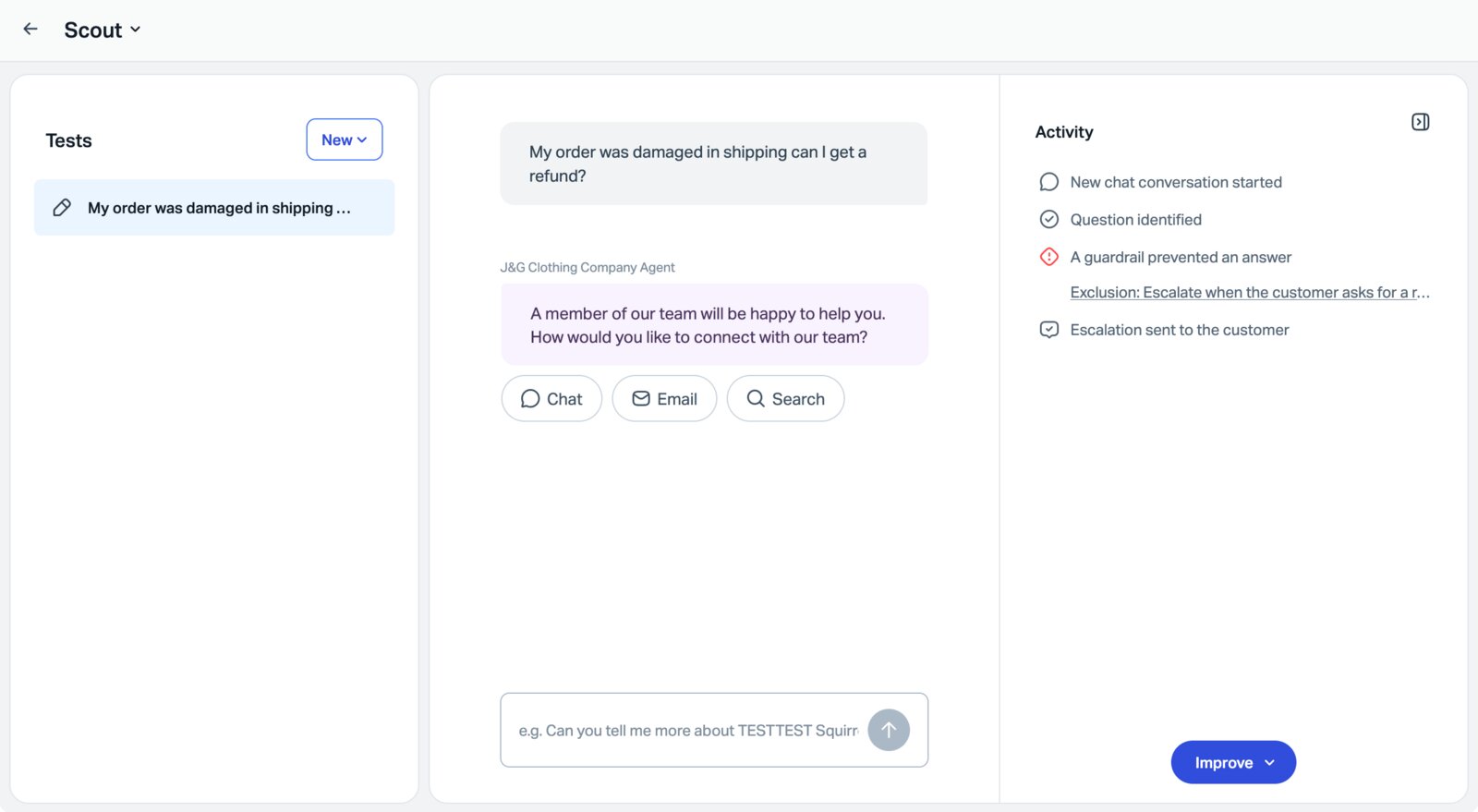
After launch, reports mark each Scout conversation as contact helped, contact not helped or human escalation. A wrong reply can be fixed by clicking Improve and adding a text entry.
Algomo testing and record
Algomo previews the agent on your real website through its browser extension, before any code goes on the site. Tests draw on their own allowance, 200 credits a month on Free and 1,000 on Business.
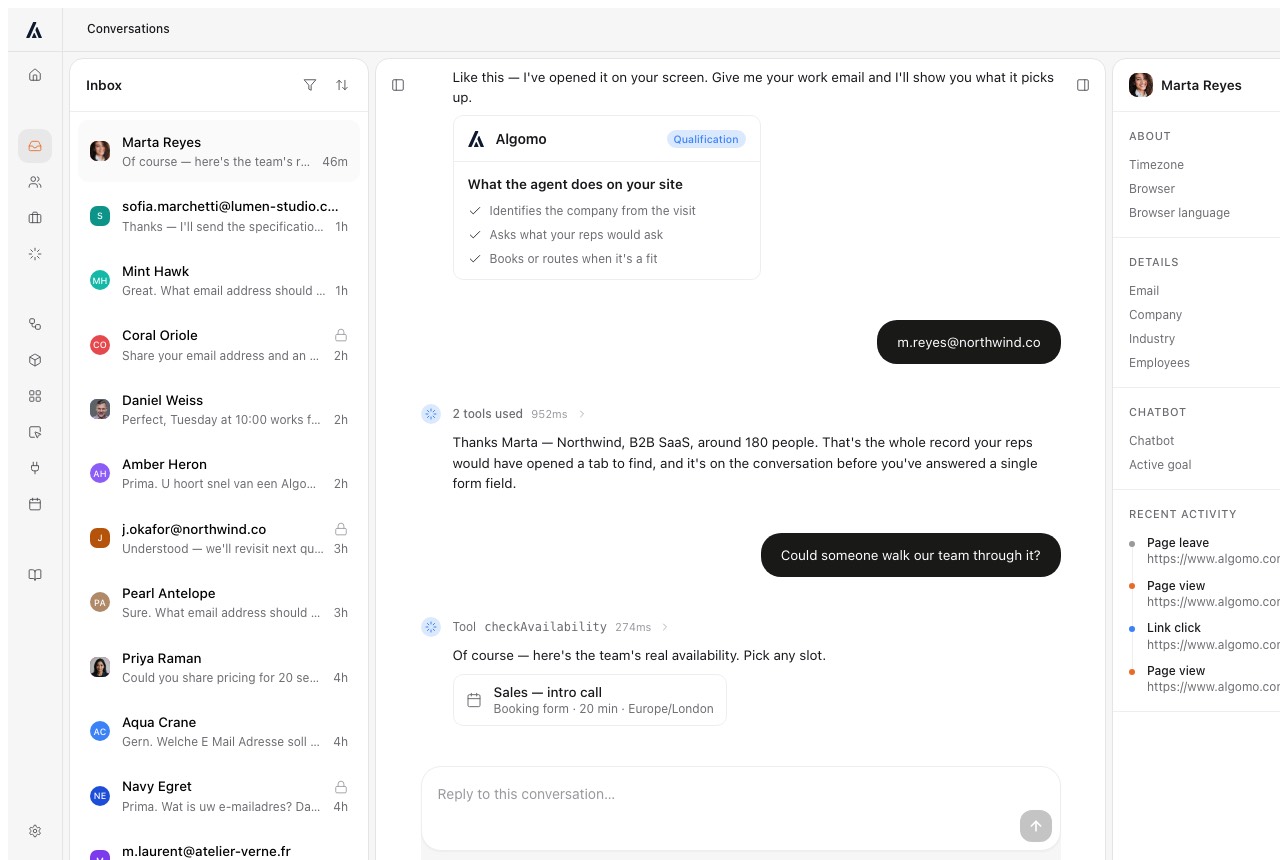
Once live, each answer records the tools it called, with inputs, outputs, time and cost. Each workflow run keeps a trace of every step, so a wrong answer leads you to the call behind it.
Our take: give each vendor one answer you think is wrong, and ask them to show you where it came from.
How does a conversation reach a person?
TL;DRScout steps back on topics you list as exclusions and offers chat or email with your team, while Algomo alerts the right person by email and Slack and they join the conversation on your site.
Refunds, complaints and serious buyers need a human. The customer's experience depends on how fast that person arrives and how much they already know.
Help Scout handoff
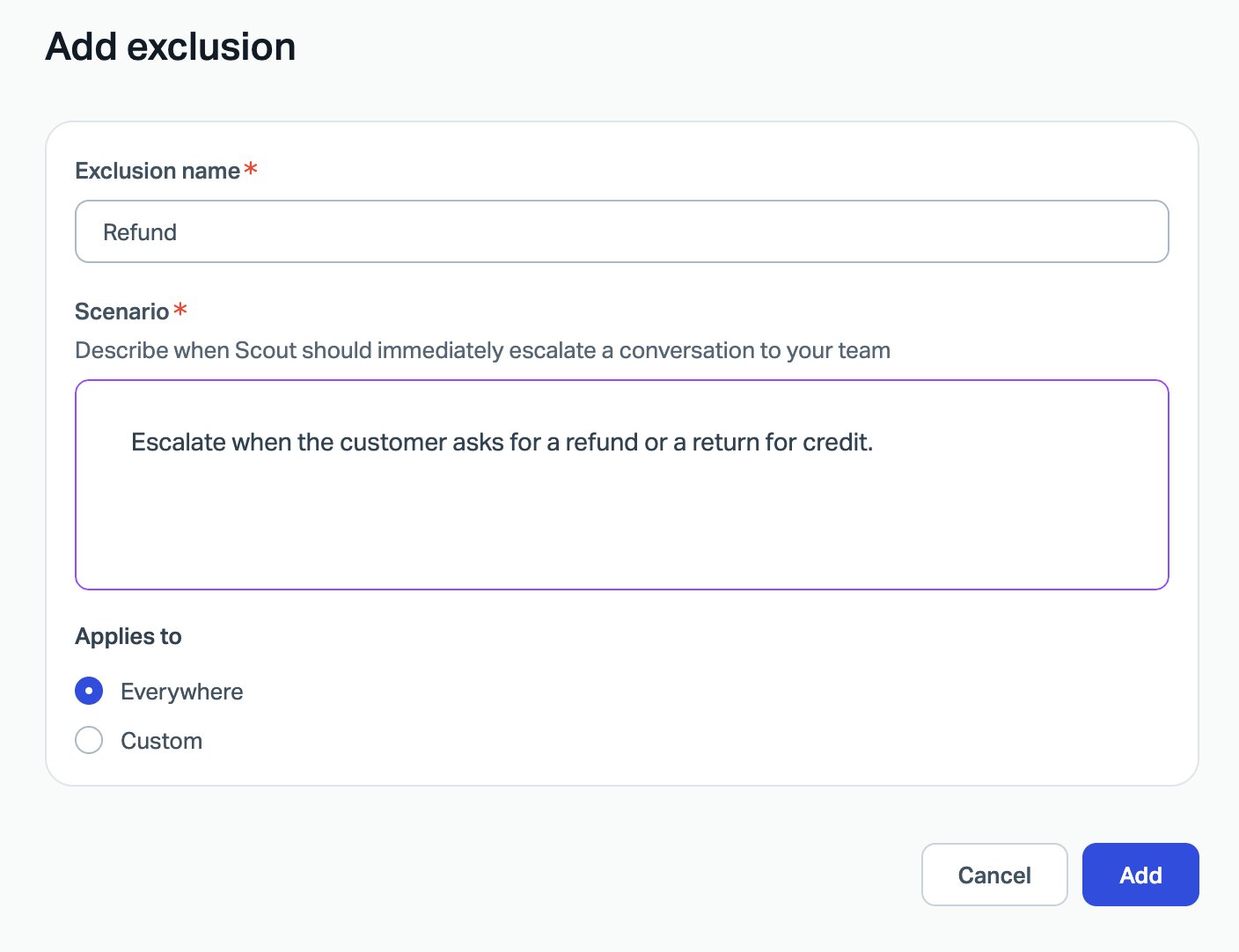
In Scout you list exclusions, topics it should escalate at once, such as refunds. You also write the message it sends when it hits one or when someone asks for a person, which can offer chat or email with your team.
Algomo handoff
Algomo hands over on the rules you write: a topic, a page, or a visitor asking for a person. The right teammate hears by email and Slack and joins the live chat with the transcript. A connector can open a ticket in your helpdesk instead.
Our take: start a refund request on each, and time the gap until a person writes back.
What does the first week cost you?
TL;DRHelp Scout gives a 15-day trial and three months of Envoy with unlimited resolutions, while Algomo's free plan has no card and no end date and answers on your site the same day.
The pilot week shows whether answers about your own products are right. Every hour of setup is an hour of not finding out.
Setting up Help Scout
Help Scout's Standard and Plus plans have a 15-day trial with no card. Envoy comes with three months of free, unlimited resolutions from the day you create the account. Help Scout's free plan covers one shared email inbox and one knowledge base, with no AI tools.
Setting up Algomo
Algomo's free plan is self-serve, with no card and no end date. You give it your site, it finds what your pages call, and a first version answers that day. Connectors to staff-only systems come with Business, and a setup session usually takes a day or two.
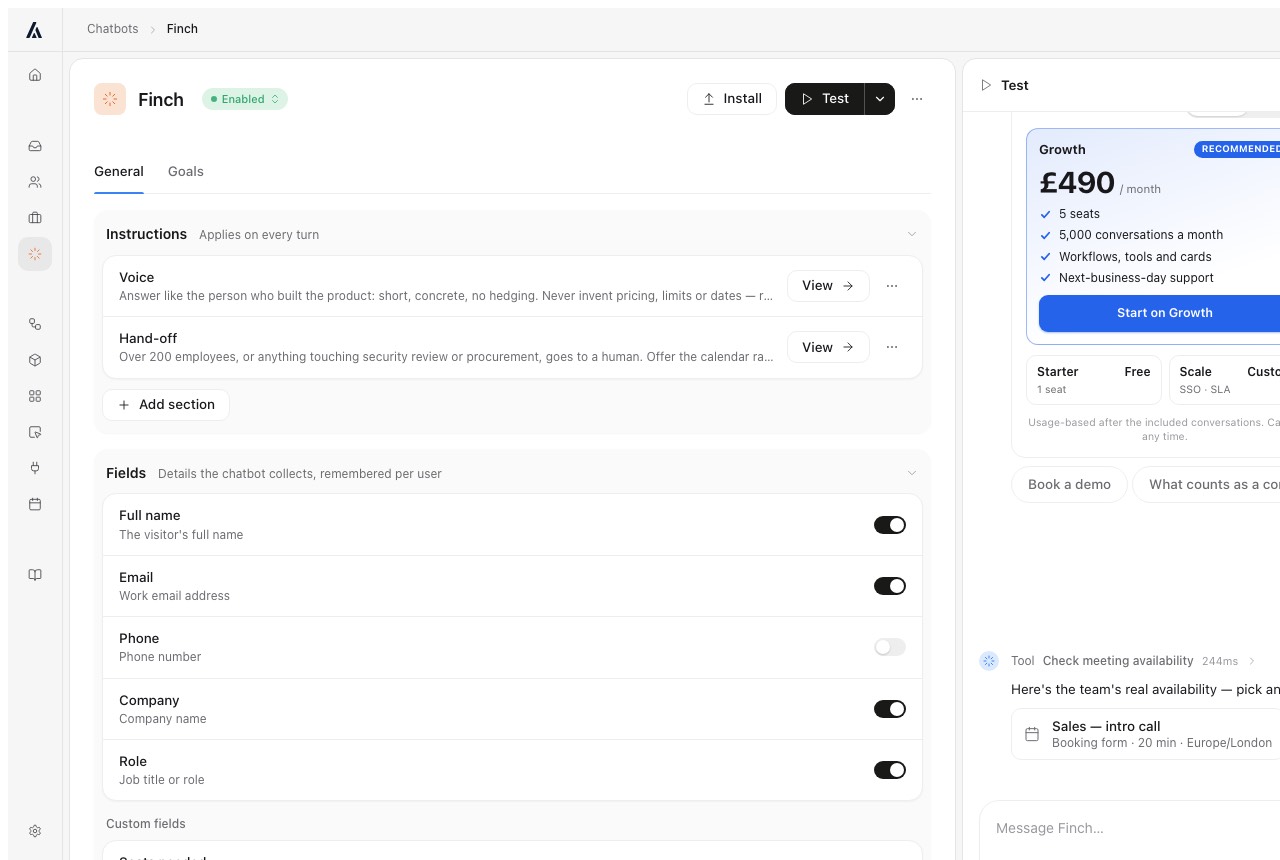
Our take: set up both on one afternoon, and ask each about an order or a booking on your own site before you leave.
What does each vendor hold that could reach your customers' data?
TL;DRFor what your website already does, Algomo's agent works from the visitor's browser and stores no token, and Help Scout is SOC 2 Type 2 certified and signs a HIPAA agreement on its Pro plan.
Before an AI touches customer accounts, your security team will ask one thing. What does the vendor store, and what could it open?
Help Scout security
Help Scout's security page says it is SOC 2 Type 2 certified for security and availability, with the report on request. It says it maintains ongoing HIPAA compliance, with a business associate agreement required and HIPAA on the Pro plan. It runs on Amazon Web Services.
Algomo security
Algomo's agent runs in the visitor's browser, on your page. A check on price, stock or that visitor's order goes from their browser, in the session it already has, and Algomo stores no token or credential for it.
A staff-only system such as billing needs a connector, and Algomo keeps that login encrypted with AES-256-GCM, revocable at any time. Algomo is certified to Cyber Essentials, ICO registered under ZA821756, and hosts its application, database and files in the EU. Its data processing agreement covers every plan.
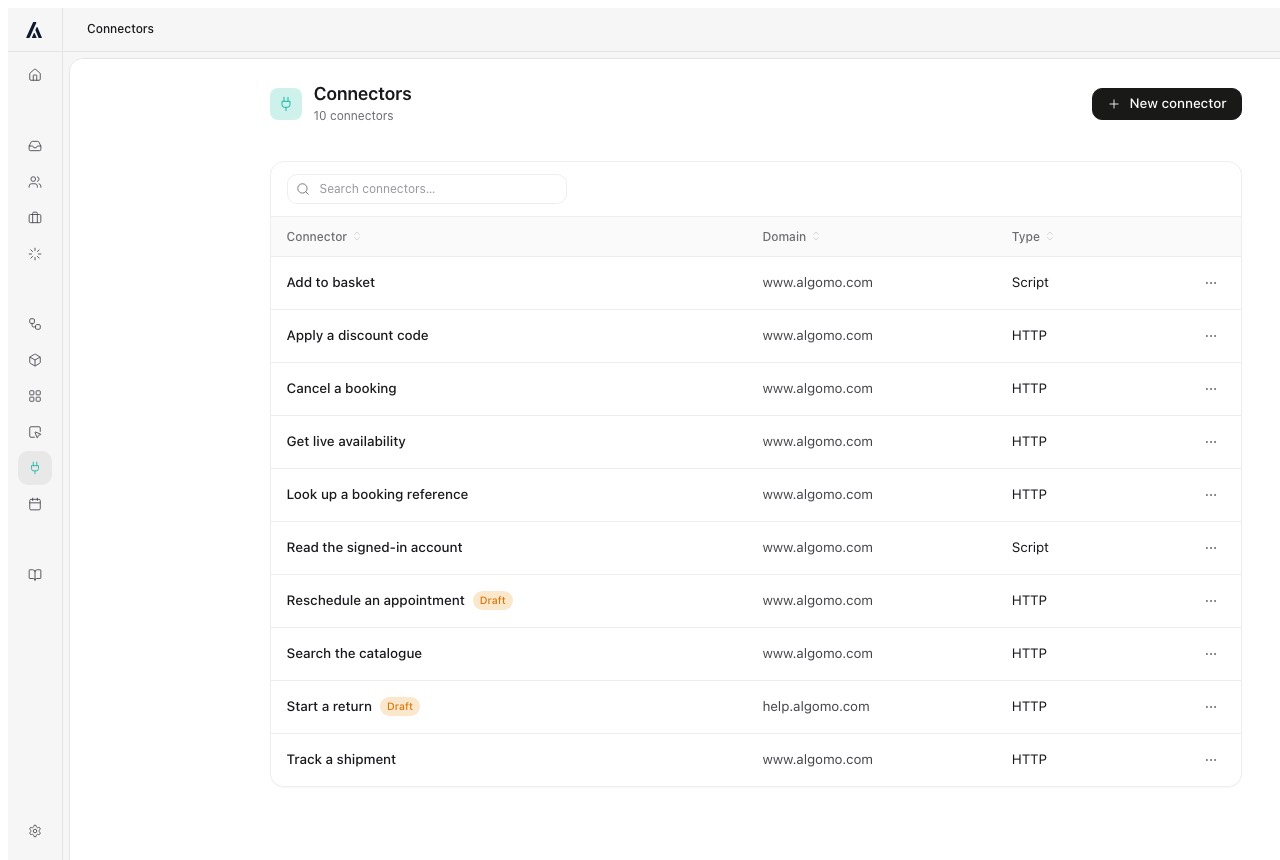
Our take: ask each vendor which stored login would let someone into your customers' accounts.
Which costs more, Help Scout with Envoy or Algomo?
TL;DRTen users on Help Scout Plus with Scout resolving 1,000 conversations a month pay $1,200, while 1,000 helped conversations on Algomo fit its $200 plan.
Per-user and per-resolution pricing each grow with something different. Your finance team will ask which one moves when the business grows.
How Help Scout bills
Help Scout charges per user. On yearly billing Standard is $25 a user a month, Plus $45 and Pro $75, with Pro needing at least 10 users. Monthly billing is $30, $54 and $90.
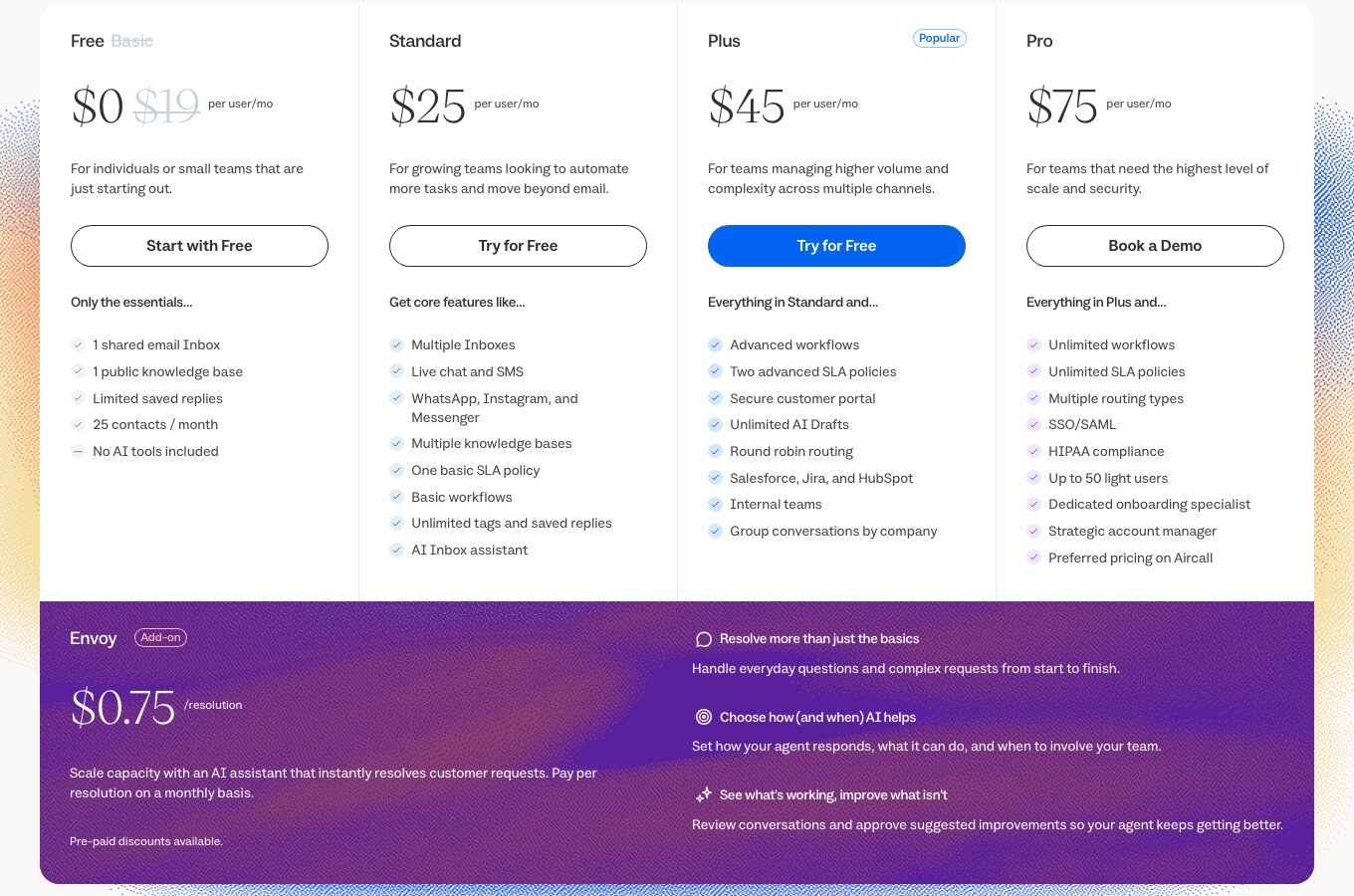
Envoy adds $0.75 per resolution, billed monthly, with discounts if you prepay. A resolution is a conversation Scout handled with no human help, charged once. You can set a monthly cap, and when it is reached Scout switches off in your Beacon until the next cycle.
How Algomo bills
Algomo's free plan has 100 credits a month, about twenty helped conversations, and no card. Paid plans are one monthly amount: $50 for 2,000 credits, $200 for 8,000, $600 for 25,000, up to $4,300 for 200,000. Algomo's pricing page has the full ladder.
A helped conversation is 5 credits, plus 5 for each further ten replies. Spam and dead ends are free. There are no users to pay for, unused credits roll over, and the agent pauses at the amount you chose.
The sum works like this. Ten users on Plus at $45 cost $450 a month. Scout resolving 1,000 conversations adds 1,000 times $0.75, which is $750. The total is $1,200 a month.
On Algomo, 1,000 helped conversations take 5,000 credits, so the $200 plan with 8,000 covers them. Help Scout's $1,200 buys an inbox for ten people across email and chat. Algomo's $200 buys the agent on your website and its inbox.
What changes each bill
| Algomo | Help Scout | |
|---|---|---|
| Hiring one more teammate | ✓ Nothing | $25 to $75 a month, yearly |
| One more conversation the AI closes | ✓ 5 credits from your plan | $0.75 |
| A conversation handed to a person | ✓ No extra charge | ✓ Not billed as a resolution |
| Reaching the limit you set | ✓ The agent pauses | ✓ Scout switches off until next cycle |
| Starting free | ✓ Free plan with the AI included | Free plan without AI tools |
Our take: ask each vendor for next month's bill at twice your current volume, and compare the two numbers.
What to ask any vendor selling you an AI agent
TL;DRFive questions, each with a test you can run during the demo.
- Can the agent answer where one customer's order is? Ask with a real order number.
- Does it read our pages now or an earlier import? Ask when it last refreshed.
- If we edit a policy, when does the agent know? Edit one and ask again.
- Can it book, fill a basket or apply a code for the visitor? Ask it to.
- Can it run a step our website cannot, such as a two-factor check? Ask for it.
Test on your own website, not on a demo site the vendor chose.
Which one fits your team?
Choose Help Scout if
- Most of your support arrives by email, and your team shares one inbox to answer it.
- Your help articles already live in a Help Scout Docs site, which Scout keeps in sync.
- Your buyers need a signed HIPAA agreement or a SOC 2 Type 2 report from the vendor.
Don't choose Help Scout if
- Your customers ask on your website about orders, stock or bookings that only a live system knows.
- You want the AI to answer account questions rather than pass them to your team.
- Your website pages change often, and nobody owns the re-sync.
- You want one monthly amount with no per-user line.
- You want the agent to complete steps on the page for the visitor.
Conclusion
TL;DRChoose Help Scout for an email-first support inbox with a knowledge base, and Algomo when your customers ask on your website and you want live answers from the systems behind it.
On the integration, Scout answers from knowledge sources and hands account questions to your team. Algomo builds tools from your pages' own requests. On freshness, Scout keeps imported pages until a re-sync, and Algomo reads the live page and stands behind it with a free month.
The comparison hub sets Algomo beside other helpdesks and AI agents if you want a wider view.
Questions buyers ask about Algomo and Help Scout
Is Algomo a good Help Scout alternative?
Yes, for questions that start on your website. Algomo links itself to the systems behind your site, answers from the live page and charges one monthly amount. For a team that answers mostly by email, Help Scout's shared inbox is the better fit.
How much does Help Scout cost?
Help Scout's pricing page shows a free plan, then $25, $45 or $75 a user a month on yearly billing, or $30, $54 or $90 monthly. Its AI agent, Scout, comes with the Envoy add-on at $0.75 a resolution, with a cap you can set.
What are Envoy and Scout in Help Scout?
Envoy is the paid add-on that lets Scout, Help Scout's AI agent, reply to customers on its own. Scout grew out of Help Scout's earlier AI Answers. You see Envoy on invoices and Scout everywhere else.
Does Help Scout have an AI chatbot?
Yes. Scout answers in the Beacon chat widget and in email, from a Help Scout Docs site, website pages, Google Docs and text entries. Website pages stay as imported until your team re-syncs them.
Who owns Help Scout?
Help Scout is independent and privately held. It was founded by Nick Francis, who is now chairman, with Jared and Denny, and Toby Gabriner is its CEO. Help Scout says it serves over 11,000 customer-facing teams.
What are the main Help Scout alternatives?
Other help desks such as Zendesk, Front and Freshdesk sell to similar teams. For an AI agent that answers on your website from live pages and live data, Algomo is built for that one job. Our comparison hub covers each.
What do 5,000 AI resolutions a month cost on each?
With ten users on Plus, Help Scout comes to $450 plus 5,000 resolutions at $0.75, so $4,200 a month. On Algomo, 5,000 helped conversations use 25,000 credits, which is the $600 plan.
Where these facts come from
The sources are:
- Help Scout's pricing page: plans, user prices, the Envoy price, the cap, the resolution definition and the trials.
- Help Scout's resolutions pricing article: billing in arrears and what happens at the cap.
- Help Scout's about page: founders, CEO and the 11,000 teams Help Scout cites.
- Help Scout's security page: SOC 2 Type 2 and HIPAA.
- The Introducing Scout article: what Envoy and Scout are and where Scout answers.
- The Set Up Scout article, the Scout sources article, the Scout best practices article and the Scout behaviour article: sources, re-sync, exclusions, testing and settings.
- Help Scout's MCP article: what the MCP connector can read.
- Help Scout's docs site: the Beacon screen.
- Algomo's pricing page, Algomo's compliance page, the data processing agreement and the guarantee page.
- The demo library, for the Blinds 2go demo, the Nike demo and the IKEA demo.
All the information on this page was available in November 2026.